


Your favorite song just disappeared from Pandora again. Or maybe you’re tired of hitting that six-skip limit every hour. Perhaps you’re simply curious if there’s something better out there—something with more control, better quality, or fewer interruptions.
You’re not alone. Searches for “music apps like Pandora” have exploded by over 5000% recently, and for good reason. While Pandora pioneered personalized radio, today’s streaming landscape offers alternatives that deliver similar discovery features with bonus perks: bigger libraries, higher audio quality, global availability, and in many cases, better free tiers.
This guide cuts through the noise. You’ll find honest comparisons of 12 top alternatives, side-by-side feature tables, and a simple decision framework to match your priorities—whether that’s staying free, going audiophile, or discovering your next musical obsession. Let’s find your new favorite music app.
Quick Comparison: Top 5 Pandora Alternatives at a Glance
Short on time? Here are the top five picks that consistently outperform Pandora across different use cases.
| App | Best For | Free Tier | Premium Price | Global Access |
|---|---|---|---|---|
| Spotify | Overall experience & discovery | Ad-supported, shuffle-only | $11.99/month | 180+ countries |
| YouTube Music | Video integration & remixes | Ads, screen-on required | $10.99/month | Worldwide |
| Deezer | International availability | Limited skips, ads | $11.99/month | 180+ countries |
| Jango | True free alternative | Full features, minimal ads | N/A (always free) | Worldwide |
| Amazon Music | Prime members | Limited catalog | $9.99/month | 50+ countries |
Each brings something unique to the table. Spotify dominates on personalization. YouTube Music taps into the world’s largest video library. Deezer works almost everywhere. Jango never asks for your credit card. Amazon Music piggybacks on your Prime membership.
Now, let’s dig deeper.
Why Are People Looking for Pandora Alternatives?
Pandora built the blueprint for music discovery, using its famous Music Genome Project to analyze songs across hundreds of attributes. So why the exodus?
Regional lockout. Pandora only operates in the United States. If you travel abroad or live elsewhere, you’re out of luck—no VPN workaround, no exceptions.
Disappearing tracks. Licensing disputes mean songs vanish from your stations without warning. One day you’re enjoying a carefully curated playlist; the next, your favorite artist is gone.
Restrictive free tier. Six skips per hour. Lower audio quality capped at 192 kbps. Frequent ad breaks. These limitations push many users toward greener pastures.
Limited control. Pandora’s radio model doesn’t let you queue specific songs or build custom playlists in the free version. If you want on-demand listening, you’re forced to upgrade—or switch platforms.
Better options exist. Competitors now offer similar algorithmic discovery with fewer restrictions, higher fidelity, and richer features. The gap has widened.
The bottom line? Pandora was groundbreaking in 2005. In 2026, you have better choices.
Best Music Apps Like Pandora (Detailed Reviews)
Spotify – Best Overall Pandora Alternative
Spotify reigns as the world’s most popular streaming service for good reason: it balances discovery, control, and social features better than anyone else.
Key Features:
- Over 100 million tracks plus 5 million podcasts
- Discover Weekly delivers eerily accurate personalized playlists every Monday
- AI DJ feature narrates transitions and explains song choices
- Collaborative playlists let friends build collections together
- Cross-platform sync across mobile, desktop, smart speakers, and cars
Pricing: Free (ad-supported, shuffle-only) | Premium $11.99/month | Family $16.99/month (6 users)
Spotify’s free tier is generous compared to Pandora—you get full catalog access, just with ads and limited control. Premium unlocks offline downloads and 320 kbps audio quality. The algorithm learns fast: like a few songs, and within days your recommendations feel tailor-made.
Trade-off: Audio quality tops out at 320 kbps, behind lossless competitors. But for 99% of listeners on standard headphones, it’s indistinguishable from higher bitrates.
YouTube Music – Best for Video + Music Discovery
YouTube Music leverages the world’s largest video platform to deliver something no pure audio service can: official releases, live performances, remixes, covers, and rarities all in one place.
Key Features:
- Access to YouTube’s vast catalog including user uploads and obscure tracks
- Music videos play automatically when available
- Smart downloads for offline listening based on your habits
- Integration with Google Clock for customized wake-up playlists
- Lyrics support and real-time search by humming or singing
Pricing: Free (ads, screen-on requirement) | Premium $10.99/month | Family $16.99/month
The free experience requires keeping your screen on—awkward for pocket listening. But upgrade to Premium and you get background play, ad-free streaming, and offline downloads. The discovery algorithm excels at surfacing live versions and alternate takes you won’t find on Spotify or Apple Music.
Trade-off: Audio maxes out at 256 kbps AAC, and the interface can feel cluttered if you prefer audio-only experiences.
Deezer – Best for International Users
Based in France, Deezer operates in over 180 countries—making it the go-to choice for anyone frustrated by Pandora’s US-only restriction.
Key Features:
- 120 million tracks covering global and regional genres
- Flow feature creates an endless personalized radio station
- Access to 30,000 international radio stations
- Lyrics display with real-time scrolling
- HiFi tier offers lossless FLAC streaming at 1411 kbps
Pricing: Free (limited skips, ads) | Premium $11.99/month | HiFi $14.99/month | Family $17.99/month
Deezer’s Flow is Pandora’s direct competitor—an AI-powered radio that blends your favorites with new discoveries. Unlike Pandora, you can pause, rewind, and skip without harsh limits. The catalog depth rivals Spotify, with particularly strong coverage of European, Latin, and African music.
Trade-off: The recommendation algorithm isn’t quite as sharp as Spotify’s early on, but it improves with use.
Apple Music – Best for Apple Ecosystem
If you live in Apple’s world—iPhone, Mac, HomePod, Apple Watch—Apple Music offers seamless integration competitors can’t match.
Key Features:
- 100 million songs with spatial audio and Dolby Atmos support
- Lossless audio up to 24-bit/192kHz for audiophiles
- Deep integration with Siri, iCloud, and Apple devices
- Radio stations hosted by celebrity DJs
- Lyrics display and time-synced sing-along mode
Pricing: No free tier | Individual $10.99/month | Family $16.99/month (6 users) | Student $5.99/month
Apple Music doesn’t offer a free tier beyond a three-month trial. But if you’re already paying for Apple One, it’s included. The audio quality leads the pack for mainstream services, and handoff between devices is effortless. Create a station on your iPhone; it’s waiting on your Mac when you sit down.
Trade-off: No free option means you can’t test-drive indefinitely. The recommendation engine is solid but less adventurous than Spotify’s.
Jango – Best Free Pandora Clone
Jango is the closest you’ll get to Pandora’s experience without paying a dime—or even creating an account.
Key Features:
- Unlimited skips (no six-skip-per-hour nonsense)
- Custom radio stations based on artists or songs
- Built-in equalizer for sound customization
- Artist-direct promotion model supports independent musicians
- Completely free forever with minimal ad interruptions
Pricing: 100% free (ad-supported, no premium tier)
Jango uses a simpler recommendation engine than Pandora’s Music Genome Project, but it works surprisingly well. You’ll hear one ad per day—usually promoting an independent artist rather than a car commercial. The interface feels dated compared to slick modern apps, but functionality matters more than aesthetics when you’re paying nothing.
Trade-off: No mobile app offline mode, and audio quality is standard (128 kbps). But for free streaming with unlimited skips? Unbeatable.
Amazon Music – Best for Prime Members
Already pay for Amazon Prime? You’ve got Amazon Music waiting in your account—and upgrading to Unlimited makes sense if you’re embedded in the Alexa ecosystem.
Key Features:
- 100 million songs on Unlimited tier
- HD and Ultra HD streaming up to 3730 kbps (Unlimited HD tier)
- Spatial audio and Dolby Atmos support
- Seamless Alexa voice control integration
- X-Ray lyrics powered by Musixmatch
Pricing: Prime (limited catalog) | Music Unlimited $10.99/month ($9.99 for Prime members) | Family $16.99/month
The Prime tier offers a limited, curated catalog—think “stations and playlists” rather than full on-demand access. Upgrade to Unlimited and you unlock the full library plus HD streaming. If you own Echo devices, voice commands feel natural: “Alexa, play something like this” works intuitively.
Trade-off: The desktop and mobile apps lag behind Spotify and Apple Music in polish. Discovery features exist but don’t match the competition’s sophistication.
iHeartRadio – Best for Live Radio Fans
iHeartRadio bridges the gap between traditional radio and streaming, offering access to 850+ live AM/FM stations alongside on-demand music.
Key Features:
- Live broadcast access to local and national radio stations
- Custom artist-based radio stations
- Podcast integration (1 million+ shows)
- Sleep timer and alarm clock features
- News, sports, and talk radio included
Pricing: Free (live radio + limited stations) | Plus $4.99/month (on-demand, no ads) | All Access $9.99/month (unlimited stations, playlists, offline)
The free tier gives you full live radio access—perfect if you miss terrestrial broadcasts. The Plus tier adds on-demand capabilities and removes ads for less than competitors charge. All Access matches standard streaming prices while keeping radio stations in the mix.
Trade-off: The recommendation engine is basic. This is less “discover your new obsession” and more “listen to familiar things in a convenient way.”
SoundCloud – Best for Independent Artists
SoundCloud built its reputation as the platform for emerging artists, bedroom producers, and underground scenes. You’ll find music here that doesn’t exist anywhere else.
Key Features:
- Over 300 million tracks including user uploads
- Direct artist engagement through comments and reposts
- Exclusive remixes, demos, and unreleased material
- Social discovery through follower networks
- DJ mixes and extended sets unavailable on mainstream platforms
Pricing: Free (ads, limited offline) | SoundCloud Go $4.99/month | SoundCloud Go+ $9.99/month
The free tier offers surprising flexibility—you can search and play specific tracks, not just radio stations. Go+ removes ads and enables offline listening. The real draw is exclusivity: indie hip-hop, electronic music, and bedroom pop thrive here before breaking mainstream.
Trade-off: Audio quality varies wildly since users upload directly. Catalog depth for major label artists lags behind Spotify and Apple Music.
TuneIn – Best for Global Radio Stations
TuneIn aggregates over 100,000 radio stations from around the world—talk, music, news, sports—making it the ultimate radio directory.
Key Features:
- 100,000+ live radio stations worldwide
- Sports coverage including NFL, MLB, and international soccer
- News from NPR, BBC, CNN, and local outlets
- Podcast library integration
- Sleep timer and recording features (Premium)
Pricing: Free (ads, limited access) | Premium $9.99/month (MLB, NFL, audiobooks, no ads)
TuneIn excels at radio aggregation, not personalization. Want to listen to a station from Tokyo? Barcelona? Lagos? It’s here. The premium tier adds professional sports play-by-play—a unique selling point if you’re a fan cut off from local broadcasts.
Trade-off: This isn’t algorithmic discovery. You’re browsing and searching, not letting AI curate. Great for intentional listening, less so for “surprise me” moments.
Tidal – Best for Audiophiles
Tidal targets listeners who care deeply about audio fidelity, offering HiFi and Master quality streams that preserve studio-level detail.
Key Features:
- HiFi streaming at 1411 kbps (lossless FLAC)
- Master Quality Authenticated (MQA) tracks up to 9216 kbps
- Exclusive content and early album releases
- Editorial focus on artist stories and credits
- Integration with high-end audio equipment
Pricing: Free (limited catalog, ads) | HiFi $10.99/month | HiFi Plus $14.99/month (MQA, Dolby Atmos)
Tidal is for the listener who hears the difference between 320 kbps and lossless. Connect decent headphones or speakers, and you’ll notice richer texture, deeper bass, and clearer separation between instruments. The catalog matches Spotify’s size, and exclusive drops from artists like Beyoncé and Jay-Z (who co-own the platform) add value.
Trade-off: You need quality audio gear to appreciate the difference. On standard earbuds or laptop speakers, you’re paying for fidelity you can’t hear.
AccuRadio – Best for Curated Channels
AccuRadio offers over 1,000 human-curated radio channels spanning hyper-specific genres and moods—think “1980s New Wave” or “Rainy Day Jazz.”
Key Features:
- 1,000+ genre and mood-specific channels
- Unlimited skips on all channels
- Blend up to 15 channels into custom mixes
- Rating system shapes future selections
- Completely free with minimal ads
Pricing: 100% free (light ads, optional VIP $5/month removes ads)
AccuRadio’s strength is curation. Real people—not algorithms—build these channels, resulting in thoughtful progressions and unexpected connections. You won’t find “stations based on Taylor Swift” here; instead, you’ll discover “Female Singer-Songwriters: 2000s” or “British Invasion Deep Cuts.”
Trade-off: No mobile app offline mode. Discovery is limited to existing channels; the system won’t learn your tastes over time like Spotify or Pandora.
Last.fm – Best for Social Music Discovery
Last.fm pioneered music “scrobbling”—tracking everything you listen to across platforms to build a comprehensive profile and connect you with similar listeners.
Key Features:
- Scrobbling integrates with Spotify, Apple Music, YouTube, and more
- Social profiles showing your listening history and statistics
- Recommendations based on collective user data spanning 20+ years
- Concert alerts for artists you follow
- On-demand streaming from partner services
Pricing: Free (scrobbling, recommendations) | Pro $3/month (no ads, advanced stats)
Last.fm isn’t a streaming service—it’s a layer on top of your existing services. Connect your accounts, and it tracks every song you play, building rich statistics and connecting you with users who share your taste. The recommendation engine taps into two decades of collective listening data, surfacing deep cuts algorithms miss.
Trade-off: You need another service (like Spotify) to actually play music. Last.fm is discovery infrastructure, not a player.
How to Choose the Right Pandora Alternative
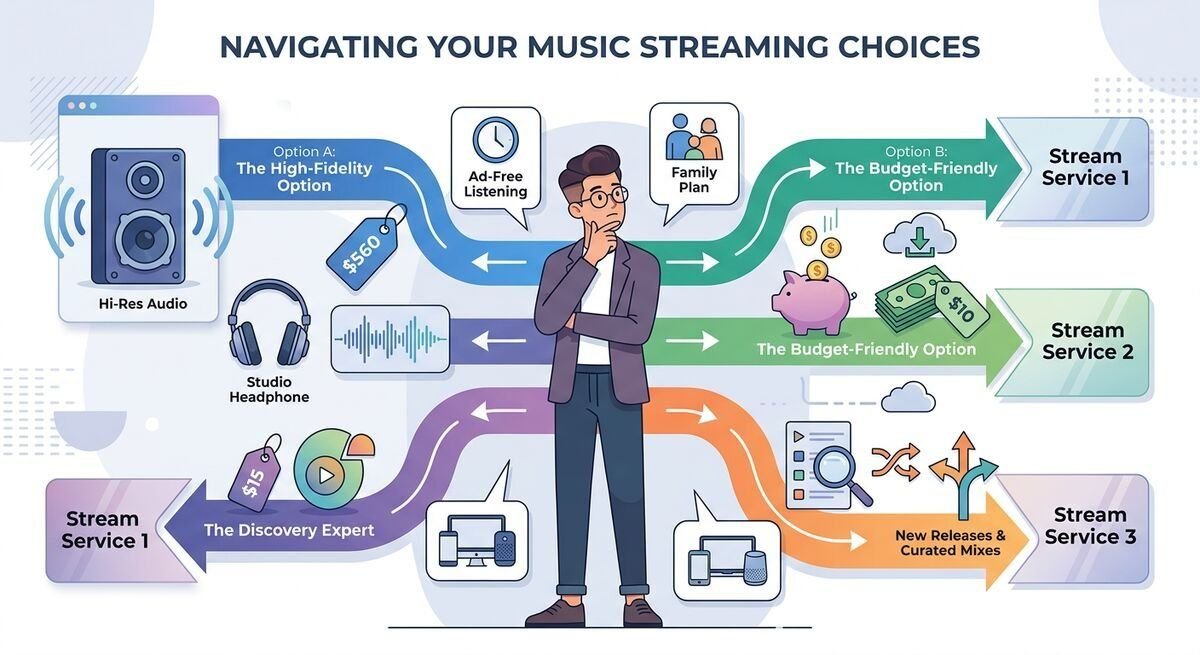
Different priorities demand different solutions. Here’s your decision tree:
If audio quality is non-negotiable: Choose Tidal (HiFi lossless) or Apple Music (lossless included in standard pricing). Amazon Music HD is a close third.
If you want the best free experience: Jango offers unlimited skips with minimal ads. AccuRadio works too if you prefer curated channels over algorithmic stations.
If you live outside the US: Deezer and Spotify dominate globally. YouTube Music works everywhere but shines in regions with limited alternatives.
If you’re already paying for Amazon Prime: Upgrade to Amazon Music Unlimited for $9.99/month—cheaper than standalone services.
If you’re embedded in Apple’s ecosystem: Apple Music integrates seamlessly across iPhone, Mac, HomePod, and Apple Watch. The handoff experience alone justifies the cost.
If discovery is your top priority: Spotify’s Discover Weekly and Release Radar are unmatched. YouTube Music is a close second for surfacing obscure versions and covers.
If you want to support independent artists: SoundCloud and Bandcamp prioritize emerging talent over major labels.
If you miss traditional radio: iHeartRadio and TuneIn blend live broadcasts with streaming convenience.
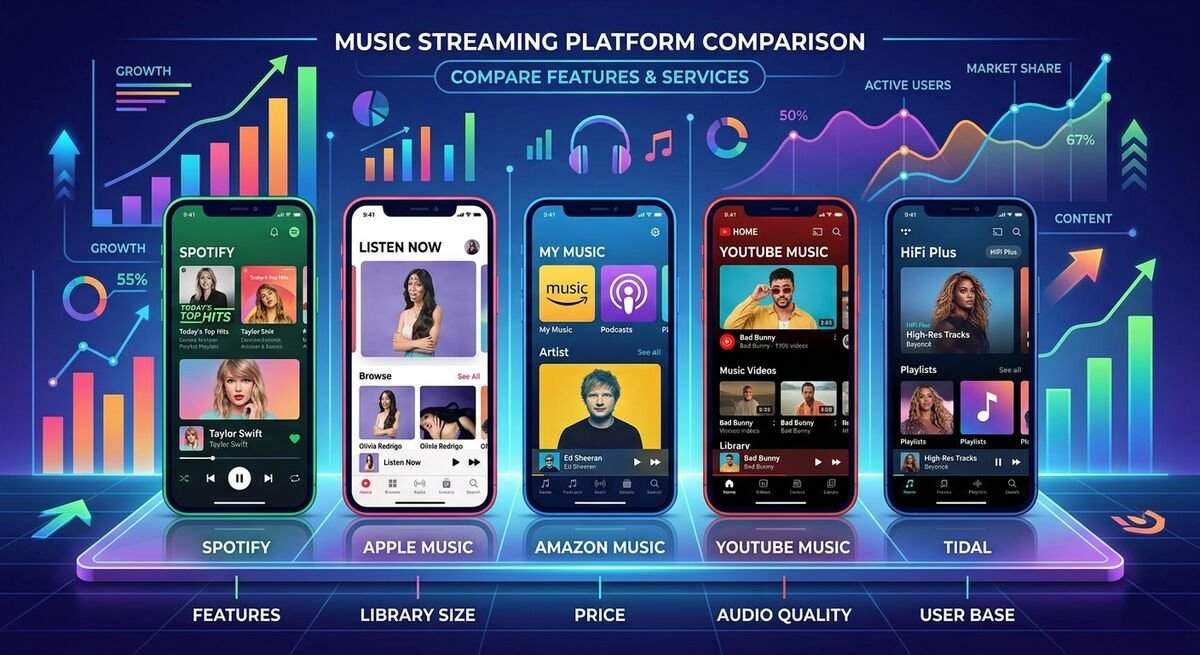
Feature Comparison Table
| Service | Free Tier | Audio Quality | Offline Mode | Family Plan | Global Access |
|---|---|---|---|---|---|
| Spotify | ✓ (ads, limited) | 320 kbps | Premium only | ✓ $16.99 | 180+ countries |
| YouTube Music | ✓ (ads, screen-on) | 256 kbps AAC | Premium only | ✓ $16.99 | Worldwide |
| Deezer | ✓ (limited skips) | 320 kbps / 1411 kbps (HiFi) | Premium only | ✓ $17.99 | 180+ countries |
| Apple Music | ✗ (trial only) | Lossless (up to 192kHz) | ✓ | ✓ $16.99 | 165+ countries |
| Jango | ✓ (full features) | 128 kbps | ✗ | ✗ | Worldwide |
| Amazon Music | Limited | 320 kbps / 3730 kbps (HD) | Unlimited only | ✓ $16.99 | 50+ countries |
| iHeartRadio | ✓ (radio only) | 128 kbps | Paid tiers | ✗ | US, Australia, NZ |
| SoundCloud | ✓ (ads) | Varies (user uploads) | Go+ only | ✗ | Worldwide |
| TuneIn | ✓ (radio) | Varies by station | Premium | ✗ | Worldwide |
| Tidal | Limited | 1411 kbps / 9216 kbps (MQA) | HiFi tiers | ✓ $17.99 | 60+ countries |
| AccuRadio | ✓ (full) | 128 kbps | ✗ | ✗ | Worldwide |
| Last.fm | ✓ (scrobbling) | N/A (uses other services) | N/A | ✗ | Worldwide |
Frequently Asked Questions
What is the best free alternative to Pandora?
Jango delivers the closest free experience to Pandora with unlimited skips and minimal ads. Unlike Pandora’s six-skip-per-hour restriction, Jango lets you skip as often as you like. AccuRadio is another solid choice if you prefer human-curated channels over algorithmic stations. Both are completely free and don’t require credit cards.
For a more feature-rich free tier, Spotify offers full catalog access with ads and shuffle-only limitations—still more flexible than Pandora’s free version.
Is Spotify better than Pandora?
It depends on what you value. Spotify wins on library size (100 million tracks vs 60 million), audio quality (320 kbps vs 192 kbps), global availability (180+ countries vs US-only), and control (on-demand playback vs radio-only in free tiers).
Pandora still excels at passive discovery through its Music Genome Project, which analyzes songs across 450+ attributes. If you want a “set it and forget it” radio experience with zero decision-making, Pandora’s algorithm remains strong.
For most users, Spotify’s versatility, better free tier, and superior discovery features (Discover Weekly, AI DJ) make it the better choice. But if you specifically want hands-off radio and live in the US, Pandora still has merit.
Which music app has the best sound quality?
Tidal leads with HiFi lossless streaming at 1411 kbps and Master Quality Authenticated tracks reaching 9216 kbps. Apple Music follows closely with lossless audio up to 24-bit/192kHz included in standard subscriptions.
Amazon Music HD offers Ultra HD streaming at 3730 kbps average bitrate. Deezer HiFi provides lossless FLAC at 1411 kbps.
For most listeners on standard headphones or speakers, the difference between high-quality compressed (Spotify’s 320 kbps) and lossless is minimal. Audiophiles with quality gear will appreciate lossless formats, but casual listeners won’t hear a significant difference.
Can I use these apps outside the United States?
Yes. Unlike Pandora (which only operates in the US), most alternatives offer global access:
- Worldwide: Spotify (180+ countries), Deezer (180+ countries), YouTube Music, Jango, SoundCloud, TuneIn, Last.fm
- Wide availability: Apple Music (165+ countries), Tidal (60+ countries), Amazon Music (50+ countries)
- Limited: iHeartRadio (US, Australia, New Zealand only)
If you’re traveling or living abroad, Spotify, Deezer, and YouTube Music are your best bets for consistent access without regional lockouts.
Do these apps have unlimited skips for free?
Free tier skip policies vary:
Unlimited skips (free):
- Jango
- AccuRadio
Limited skips (free):
- Spotify: 6 skips per hour on radio/playlists
- Pandora: 6 skips per hour
- Deezer: Limited skips with ads
- YouTube Music: Unlimited skips but ads and screen-on required
No skips (free tier radio-only):
- iHeartRadio (except live radio)
Premium tiers across all services unlock unlimited skips. If unlimited free skipping is essential, stick with Jango or AccuRadio.
Which app is best for discovering new music?
Spotify dominates music discovery with features like:
- Discover Weekly: 30 personalized tracks every Monday
- Release Radar: New releases from artists you follow
- AI DJ: Narrated mixes with context about songs and artists
- Daylist: Dynamic playlists that change based on time of day
YouTube Music excels at surfacing alternate versions—live performances, remixes, covers—that pure audio services miss.
Last.fm leverages 20+ years of collective user data for deep-cut recommendations, though you’ll need another service to actually play the music.
For algorithmic precision, Spotify leads. For variety and obscure versions, try YouTube Music.
What’s the cheapest music streaming service?
Budget-friendly options include:
Completely free:
- Jango (ad-supported, unlimited skips)
- AccuRadio (ad-supported channels)
- Spotify Free (ad-supported, shuffle-only)
Under $5/month:
- iHeartRadio Plus: $4.99 (on-demand, ad-free)
- SoundCloud Go: $4.99 (offline listening, no ads)
- Pandora Plus: $4.99 (ad-free radio, no on-demand)
Standard pricing ($9.99-$11.99):
Most mainstream services fall in this range. Amazon Music Unlimited offers a discount for Prime members ($9.99 vs $10.99).
For maximum value at zero cost, Jango can’t be beat. For the best paid budget option, iHeartRadio Plus at $4.99 offers surprising functionality.
Can I transfer my Pandora stations to another app?
Not directly. Pandora doesn’t offer an export feature for stations or listening history. However, you can manually recreate similar experiences:
In Spotify: Create radio stations based on the same seed artists or songs you used in Pandora. Spotify’s algorithm will generate comparable recommendations.
In YouTube Music: Start stations from artists you frequently played on Pandora. The algorithm adapts quickly as you like and skip tracks.
Using Last.fm: If you connected Pandora to Last.fm for scrobbling, your listening history is preserved. Use that data to inform stations on your new platform.
Manual method: Note your favorite Pandora stations’ seed artists, then recreate them in your new app. Most services let you start stations from multiple artists or songs simultaneously.
While it requires some setup time, you’ll likely find your new app’s algorithm catches up within a week or two of active use.
Final Thoughts
Pandora’s pioneering work in personalized radio deserves respect. But the streaming landscape has evolved, and today’s alternatives deliver more features, better quality, and greater flexibility—often for the same price or less.
The best choice depends entirely on your priorities. Want total free access? Go with Jango or AccuRadio. Crave lossless audio? Tidal or Apple Music have you covered. Need something that works outside the US? Spotify and Deezer won’t let you down.
The good news? Most services offer free trials or generous free tiers. Download two or three, test them for a week, and see which interface and algorithm resonate with you. Your next favorite song is waiting—you just need the right app to find it.
Ready to make the switch? Pick your priority from the list above, grab your headphones, and explore. The music world is bigger than ever, and you’re no longer limited to six skips per hour.