




Grammarly’s free tier is a tease. It catches typos and flags glaring grammar errors, but the moment you want style suggestions, tone detection, or sentence rewrites, the paywall appears. At roughly $30/month for Premium, that’s a hard sell for a student on a budget, a freelancer with thin margins, or anyone who just needs to write a clean email.
Six apps deliver real grammar and writing assistance at $0. Some match Grammarly’s free tier feature-for-feature; a couple beat it in specific areas. The catch is understanding what “free” actually means on each platform — because a 10-rewrite-per-day limit and a no-account-needed web tool both technically qualify as free, but they’re not the same thing.
Every tool here was tested against the same 150-word paragraph seeded with a comma splice, two passive voice constructions, redundant phrasing, and a “their/there” homophone swap. Results were scored on correction accuracy, explanation clarity, and platform reach. Testing was conducted in early 2025; free-plan limits are accurate as of that date.
Truly Free vs. Freemium: Know What You’re Getting
The most important thing to understand before downloading any writing tool is the difference between tools that are genuinely free and tools that are free in name only. LanguageTool and Hemingway Editor are fully free — no credit card, no expiring trial, no limit on core features. Most others are freemium: the free plan works, but its usefulness has been deliberately constrained to push upgrades.
The Three-Tier Reality of “Free” Writing Tools
Writing apps fall into three categories. First: fully free or open-source tools that offer core features at no cost indefinitely — LanguageTool, Hemingway Editor, and SlickWrite all belong here. Second: freemium tools with a usable but limited free plan, where the product functions but specific features (advanced style checks, AI rewrites, plagiarism detection) are paywalled. Third: free trials disguised as free plans, where you get 7–14 days before features vanish or an upgrade prompt takes over the interface.
Freemium isn’t inherently bad. Wordtune’s 10 free rewrites per day is a real constraint, but for targeted editing it’s often enough. The problem is when the free plan is stripped to the point of being a demo — and when that reality isn’t disclosed upfront so users can make an informed choice.
Red Flags That Signal a Bait-and-Switch
Three patterns are worth watching for. If every flagged error is followed by “upgrade to see the fix,” it’s not a free checker — it’s a demo with grammar theater. If the free plan requires credit card details “for verification,” the trial has a hidden expiration. And if plagiarism checking is listed prominently as a feature but gated entirely behind the highest paid tier, that’s deceptive feature presentation, not a free tool with transparent limits.
Every tool reviewed here was selected partly because its free plan is honest: limits are disclosed upfront, core features are usable without constant upgrade nudging, and no payment details are required to access real functionality.
The 6 Best Free Apps Like Grammarly (Ranked & Reviewed)
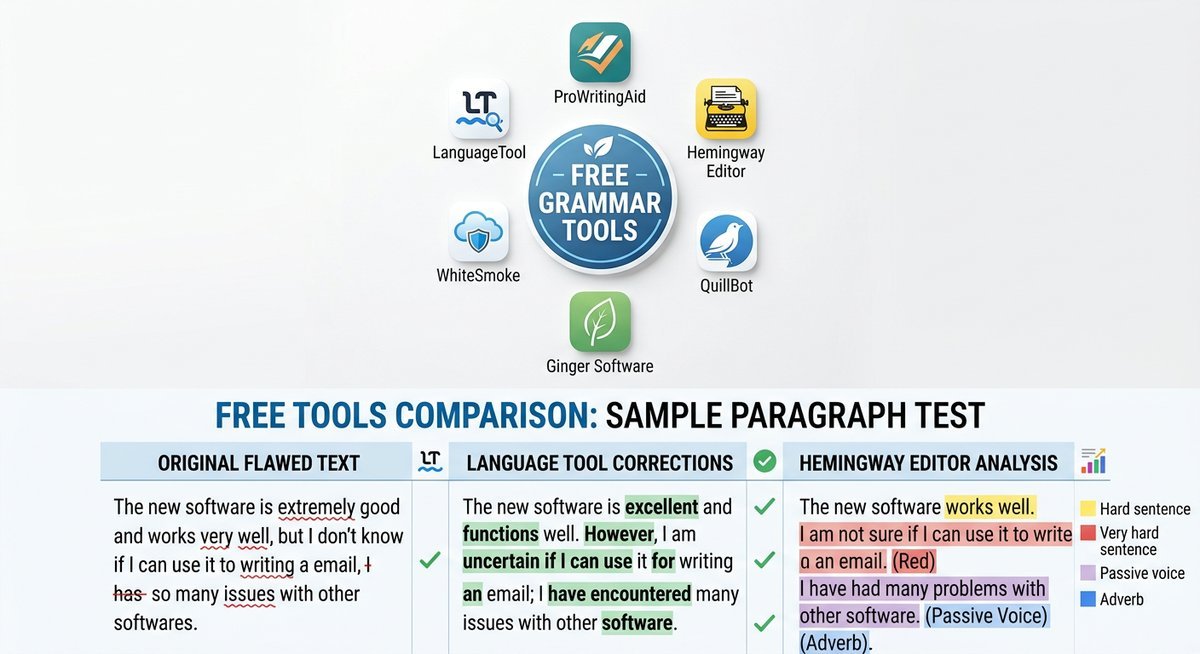
The best free Grammarly alternative for most users is LanguageTool — it covers grammar, spelling, style, and 30+ languages with a browser extension and Google Docs integration at no cost. The right pick shifts depending on writing environment, use case, and which free-plan limitations you can realistically work around.
1. LanguageTool — Best Overall Free Grammarly Alternative
LanguageTool is the closest free equivalent to Grammarly’s core feature set. The free plan covers grammar, spelling, punctuation, and limited style checking across more than 30 languages, with a 20,000-character limit per check — enough for a full blog post or a long essay. The browser extension for Chrome and Firefox, Google Docs integration, and LibreOffice add-on are all available without a paid plan.
In testing, it caught the comma splice, flagged both passive voice constructions, and correctly identified the “their/there” homophone. The explanation read: “This looks like two independent clauses joined without a proper conjunction — consider a period or semicolon.” Specific, actionable, not robotic. That level of clarity matters for writers who need to understand errors, not just accept fixes blindly.
Multilingual support is LanguageTool’s clearest competitive edge over Grammarly. English, Spanish, French, German, Portuguese, Polish, and Dutch are all well-supported at the free tier — not as rough approximations but with full grammar rule sets. The one meaningful gap is plagiarism detection, which isn’t available on any LanguageTool tier, paid or free. For academic writers, that’s a genuine limitation. For everyone else, the free offering is difficult to beat on value.
| Free Plan Feature | Status |
|---|---|
| Grammar & spelling check | Included |
| Style suggestions | Included (limited) |
| Character limit per check | 20,000 characters |
| Browser extension (Chrome, Firefox) | Free |
| Google Docs integration | Free |
| Languages supported | 30+ |
| Plagiarism checker | Not available on any tier |
| Sign-up required | No (web editor) / Yes (extension) |
2. ProWritingAid — Best for Deep Style Feedback
ProWritingAid‘s free tier is the most analytically dense of any tool reviewed here. Unlimited grammar checks are available in the web editor, but its signature feature — detailed style reports — is capped at 500 words and 10 reports per month. Those reports cover sentence length variation, overused words, pacing, and readability scores all in a single dashboard, with visual breakdowns that show patterns across an entire document rather than just individual errors.
The practical friction is real: there’s no browser extension on the free tier, which means copying and pasting into the web editor. That disrupts real-time writing but makes ProWritingAid excellent for a dedicated editing pass after drafting. In testing, it caught passive voice patterns and redundancy that LanguageTool missed entirely — specifically flagging three instances of passive construction and two redundant prepositional phrases — but skipped the homophone error without comment.
The 500-word report cap also means you can’t run a full analysis on a 2,000-word article in a single pass. Work in chunks, or use the unlimited grammar check pass first and reserve the style reports for your most important sections. Best suited for bloggers doing dedicated revision passes, fiction writers reviewing chapters, or anyone who wants structural feedback over live inline correction.
3. Hemingway Editor — Best for Readability and Clarity
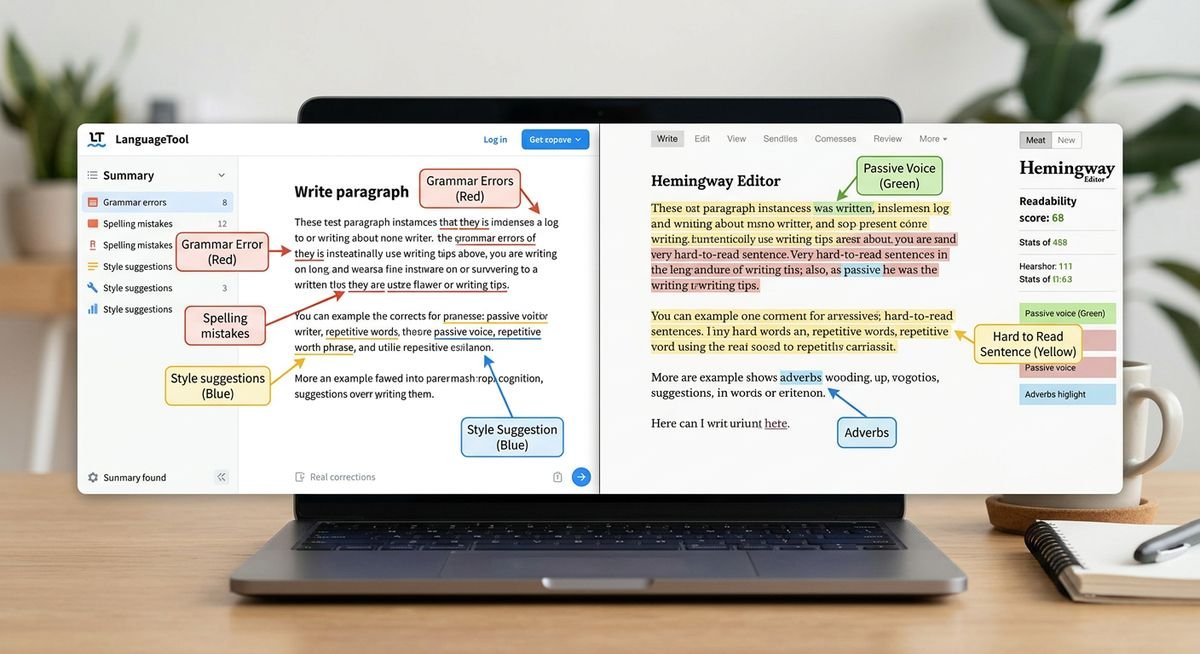
Hemingway Editor doesn’t catch grammar errors. That’s not a flaw — it’s a deliberate design choice. The free web version targets readability: passive voice, dense sentences, excessive adverbs, and hard-to-read constructions all get flagged with color-coded highlights. Sentences in yellow are hard to read. Red means very hard. Purple marks adverbs. Blue signals passive voice. The result is a visual clarity map that’s immediately actionable without needing a grammar explanation.
The web version at hemingwayapp.com is completely free, requires no account, and has no word or usage limits. A paid desktop app ($19.99 one-time) adds offline editing, but the web version includes the full readability feature set at no cost — no trial, no expiration, no credit card.
In testing, Hemingway flagged both passive voice constructions, identified the most complex sentence as “very hard to read” (Grade 15 reading level), and recommended cutting three adverbs. Grammar errors went undetected, which is expected. Pair it with LanguageTool and the combination addresses grammar accuracy, readability, and clarity without spending a dollar. That’s the combination most casual writers will find is genuinely all they need.
4. Wordtune — Best for ESL Learners and Rephrasing
Wordtune‘s free plan offers 10 AI-powered rewrites per day. The quality of those rewrites is what sets it apart — rather than swapping synonyms, Wordtune suggests how a native speaker would naturally phrase the same idea. For ESL learners, that’s a language model as much as a grammar checker. Seeing five natural alternatives to a sentence teaches construction patterns that dictionary lookups and basic grammar correction tools never could.
The browser extension works on Gmail, Google Docs, LinkedIn, and most web-based text editors. Rewrite quality is genuinely strong: in testing on a sentence with awkward ESL phrasing (“I was very much interested to know what happened next in the story”), Wordtune produced: “I was eager to find out what happened next” — a clean, natural simplification rather than a thesaurus swap. The 10-rewrite daily cap resets at midnight, which is manageable for targeted editing but gets restrictive during heavy revision sessions on long documents.
Wordtune’s real competition isn’t LanguageTool — it’s rephrasing tools like QuillBot. These are different product categories solving different problems. LanguageTool tells you what’s wrong. Wordtune shows you how to say it better.
5. Ginger Software — Best Free Grammar Tool for Mobile
Ginger Software is the strongest free option for mobile-first writers. The iOS and Android apps include grammar correction, sentence rephrasing, and an audio text reader that plays writing back aloud — a proofreading method that catches awkward constructions and missing words that visual scanning consistently misses. No other free tool on this list offers a built-in text reader at no cost, on mobile or desktop.
The desktop browser extension covers Chrome and Firefox and provides basic grammar and spell-checking with inline suggestions. Free-plan grammar accuracy is solid for everyday writing — emails, social posts, short documents — but the rephraser is more limited than Wordtune’s, with fewer suggestions per session. Some advanced features (context-based grammar analysis, personal dictionary) prompt upgrades relatively quickly, which means power users will hit the ceiling. For anyone drafting primarily on a phone or tablet, though, Ginger has no real free-tier competition.
One note: Ginger’s free plan limits aren’t publicly documented with the same transparency as LanguageTool’s — the exact number of free corrections per day varies by platform and account status. Sign up for a free account to access the full free tier; the browser extension without an account is more restricted.
6. SlickWrite — Best for Privacy-Conscious Writers
SlickWrite requires no account, stores no user data, and is entirely free with no word limit. The web-based editor analyzes grammar, flow, sentence structure, and writing style, generating detailed statistical reports on prose patterns — average sentence length, syllable counts, word frequency distribution, reading level, passive voice percentage, and more. Most tools charge for this kind of data-driven style analysis.
In testing, SlickWrite missed the comma splice and the homophone error, scoring lower on raw correction accuracy than LanguageTool. Spell-checking is basic. The value sits in the style analytics: the flow visualization shows sentence length variation as a color-coded line graph, making it immediately obvious when writing has fallen into a monotonous rhythm. For tightening formal business prose or long-form content that needs structural variety, that visual feedback is more actionable than individual error flags.
The zero-account, zero-data architecture is a genuine differentiator for business writers cautious about uploading client-facing or confidential documents to cloud services. There is no privacy policy to read, no terms of service data processing clause — because nothing is retained. That’s a meaningful distinction from every other tool on this list.
Free-Tier Feature Comparison
The table below benchmarks only free-plan capabilities — paid upgrades are excluded entirely. A checkmark or specific value means the feature is meaningfully usable on the free tier, not just technically listed on a marketing page. All ratings reflect hands-on testing, not feature page claims.
How to Read This Table
Platform reach reflects which environments each free plan actively supports without upgrading. Word and character limits apply to single-session checks unless noted otherwise. “Moderate” accuracy means the tool catches most high-frequency error types but misses edge cases like homophones or complex punctuation.
| Tool | Grammar Accuracy | Style Feedback | AI Rephrasing | Platform Reach | Free Limit | Account Required |
|---|---|---|---|---|---|---|
| LanguageTool | High (30+ languages) | Limited | No | Browser ext, Google Docs, LibreOffice | 20,000 chars/check | No (web) / Yes (ext) |
| ProWritingAid | High (web editor) | Deep (500-word cap) | No | Web editor only | 500 words (style reports) | Yes |
| Hemingway Editor | Readability only | Full readability suite | No | Web browser (unlimited) | None | No |
| Wordtune | Basic | Limited | 10 rewrites/day | Browser ext, Google Docs, Gmail | 10 rewrites/day | Yes |
| Ginger Software | Moderate | Limited | Limited | Browser ext, iOS, Android | Varies by platform | Yes |
| SlickWrite | Moderate | Detailed style stats | No | Web browser only | None | No |
Best Free Writing Tool by Use Case
Different writing contexts call for different tools. The right free grammar app for a student drafting Google Docs essays is not the same as the right tool for a business professional editing client-facing proposals, and neither matches what an ESL learner needs for daily language practice.
| Writer Type | Best Free Tool | Key Reason |
|---|---|---|
| Students | LanguageTool | No cap on browser extension; Google Docs integration; 30+ languages for international students |
| Bloggers / Content Writers | Hemingway Editor | Readability scoring; no account or word limit; fully free web version |
| ESL Learners | Wordtune | Teaches natural-sounding phrasing, not just error correction; browser extension for inline use |
| Business Professionals | SlickWrite | No account; no data storage; style statistics for formal writing |
| Mobile-first Writers | Ginger Software | Best free iOS/Android apps; audio text reader for hands-free proofreading |
| Long-form Writers / Editors | ProWritingAid | Deepest structural feedback at $0; best for dedicated revision passes on manuscripts and long articles |
The strongest all-around free editing stack is LanguageTool for grammar accuracy paired with Hemingway Editor for readability. Two genuinely free tools, zero friction, no accounts required for the Hemingway side. Together they address what most writers actually need from a writing assistant — correct grammar, clear sentences — without paying Grammarly’s monthly fee.
Frequently Asked Questions
What is the best completely free alternative to Grammarly?
LanguageTool is the best completely free Grammarly alternative for most users. It covers grammar, spelling, punctuation, and limited style checking in 30+ languages, with a browser extension and Google Docs integration available at no cost. The free plan supports checks up to 20,000 characters per session and requires no credit card to access core features.
Is there a free grammar checker with no word limit?
Yes. Both SlickWrite and Hemingway Editor operate with no word or character limits on their free web versions, and neither requires creating an account. LanguageTool’s free web editor also has no monthly word cap, though individual checks are capped at 20,000 characters per session.
Can I use a free Grammarly alternative in Google Docs?
LanguageTool offers a native Google Docs add-on on the free plan with no upgrade required. Wordtune also supports Google Docs through its browser extension on the free tier, providing up to 10 sentence rewrites per day. Both integrations work directly inside the Google Docs interface without copy-pasting text out.
Is Hemingway Editor really completely free?
The Hemingway Editor web app at hemingwayapp.com is completely free — no account required, no word limits, and no trial period. The paid desktop app ($19.99 one-time) adds offline functionality and direct WordPress publishing, but the web version includes the full readability scoring feature set at no cost indefinitely.
Does LanguageTool work for non-English writing?
LanguageTool supports grammar and style checking in more than 30 languages on the free plan, including Spanish, French, German, Portuguese, Polish, Russian, and Dutch. This makes it the strongest free option for multilingual writers and international students who need grammar support in their native language as well as English.
What free writing tools work on mobile?
Ginger Software has the strongest free mobile offering, with dedicated iOS and Android apps that include grammar correction, sentence rephrasing, and an audio text reader. Wordtune’s browser extension works in mobile browsers with the same 10-rewrite-per-day limit. LanguageTool offers a mobile keyboard integration as well, though it’s more restricted than the desktop browser version.
Do any free Grammarly alternatives include plagiarism checking?
None of the six tools reviewed here offer meaningful plagiarism detection on a free plan. LanguageTool, Hemingway, and SlickWrite don’t offer plagiarism checking at any tier. ProWritingAid and Grammarly both require paid subscriptions for plagiarism reports. For dedicated free plagiarism checking, Scribbr’s free tool is a reliable standalone option.
The Right Free Stack for Most Writers
The best free writing tool is the one that fits where and how you write. LanguageTool handles the broadest set of everyday scenarios — browser, Google Docs, LibreOffice, 30+ languages — at no cost. Pair it with Hemingway Editor for readability and the combination covers grammar, style, and clarity without a subscription.
For specific workflows — mobile drafting, ESL rephrasing, structural manuscript feedback — Ginger, Wordtune, and ProWritingAid each have a legitimate place. None of these tools require credit card details or a countdown to a paywall. The free plans described here are the actual product, not a demo designed to push an upgrade.