



ChatFAI errors can stop your conversations mid-sentence. Whether you’re seeing “failed to generate response” messages, finding the service completely down, or dealing with an unexpected account ban, most issues have straightforward fixes.
Four problems account for the vast majority of issues across ChatFAI’s 376,000 monthly users. The solutions below are ordered by likelihood, from simple browser fixes to message limit overages. Most users resolve their issues within minutes.
| Symptom | Most Likely Cause | Fix |
|---|---|---|
| “Failed to generate response” | Message limit reached or server overload | Check Settings → Usage; clear cache; wait 15-30 min |
| Page won’t load at all | Platform-wide outage | Check r/ChatFAI or DownDetector for reports |
| “Account banned” message | Content policy violation | Email support@chatfai.com with appeal |
| Android app crashes or freezes | Outdated app version or cache corruption | Force stop → Clear cache → Update or reinstall |
| Voice chat not working | Missing Premium subscription or browser permissions | Verify subscription; grant microphone access |
Failed to Generate Response — Causes and Fixes
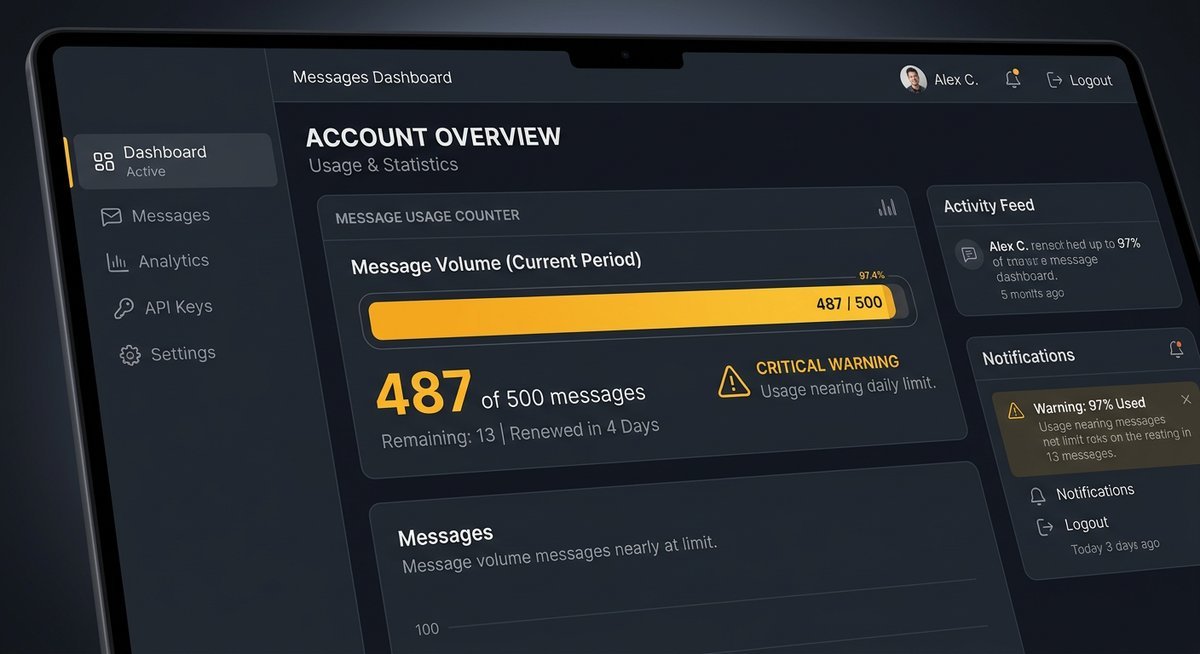
The “failed to generate response” error occurs when ChatFAI’s AI models can’t complete your request. This happens most often due to message limit overages (500 messages/month on free accounts), temporary server overload during peak hours, or browser cache conflicts blocking proper API communication. Clear your browser cache first, then check your message quota in account settings.
Check Your Message Limit First
Free ChatFAI accounts have a 500 message monthly cap. Once you hit this limit, every conversation attempt triggers the failed response error.
Log into your account and check Settings → Usage to see your current count. If you’re at or near 500, you’ll need to wait until the next billing cycle or upgrade to a paid plan. This is the single most common cause of chatfai failed to generate response errors.
Corrupted browser data causes API communication failures. Follow these steps:
- Open your browser settings and navigate to Privacy or History
- Select “Clear browsing data” or “Clear cache”
- Choose “Cached images and files” and “Cookies” from the last 24 hours
- Confirm deletion and restart your browser completely
- Log back into ChatFAI and test a new conversation
Chrome, Firefox, and Safari users report 60-70% success rates with this fix alone.
Switch Browsers or Disable Extensions
Browser extensions, especially ad blockers and privacy tools, can block ChatFAI’s API calls. Open an incognito/private window to test without extensions.
If the error disappears in incognito mode, disable extensions one by one to find the culprit. uBlock Origin and Privacy Badger are frequent offenders.
Wait During Peak Traffic
ChatFAI’s AI models occasionally fail under heavy load, typically between 6-10 PM EST on weekdays. If you’ve ruled out message limits and browser issues, wait 15-30 minutes and retry.
Check the r/ChatFAI subreddit or Discord for real-time reports from other users. Multiple reports of the same error indicate platform-wide issues rather than problems on your end.
ChatFAI Down? How to Check Server Status
When why is chatfai not working across all devices and browsers, the platform itself may be experiencing downtime. ChatFAI doesn’t maintain a public status page, but three community resources provide real-time outage information: the r/ChatFAI subreddit (users post within minutes of widespread issues), the official Discord server’s support channel, and DownDetector’s ChatFAI page showing spike patterns in user reports.
Use Community Status Channels
Visit r/ChatFAI on Reddit first. During outages, the subreddit fills with “is chatfai down” posts within 5-10 minutes.
Join the official ChatFAI Discord server (linked from help.chatfai.com) for the fastest updates. The team occasionally posts brief status updates during major incidents.
Check DownDetector
Navigate to DownDetector.com and search for “ChatFAI”. The service aggregates user reports into outage maps and timelines.
Look for sudden spikes in the last hour. 50+ reports in a 15-minute window typically indicates confirmed downtime. DownDetector also shows which specific features (web app, API, Android app) are affected.
Test on Multiple Devices
Try accessing ChatFAI from your phone, tablet, and computer. If chatfai down issues affect only one device, the problem is local to that device rather than platform-wide.
Check both the web version and mobile app if you have both installed. Apps sometimes lag behind web deployments, causing version mismatches that appear as downtime.
Account Banned — Why It Happens and What to Do
ChatFAI ban situations occur when the platform’s automated systems detect content rule violations. While ChatFAI doesn’t fully publish its content policies, bans typically result from repeated attempts to bypass content filters, creating characters that violate terms of service, or mass reporting from other users. Most bans are permanent, but legitimate mistakes can sometimes be appealed through support@chatfai.com.
Common Ban Triggers
ChatFAI uses automated content filtering similar to other AI platforms. Attempting to circumvent these filters through prompt engineering or jailbreak techniques flags accounts for review.
Creating characters with names, descriptions, or scenarios that violate terms of service triggers immediate bans. Even if conversations remain within guidelines, the character setup itself can cause problems.
How to Appeal a Ban
Email support@chatfai.com with your account email and a brief explanation. Include:
- Your registered email address
- The approximate date your account was banned
- Any characters or conversations that may have triggered the ban
- Why you believe the ban was issued in error
Response times vary from 2-7 business days. ChatFAI support reviews appeals manually, but overturns are rare unless clear system errors occurred.
Preventing Future Bans
Read the terms of service at chatfai.com/terms thoroughly. Avoid creating characters based on real minors, explicit content, or copyrighted properties with restrictive licenses.
Keep conversations within the same content boundaries you’d expect on moderated social platforms. When in doubt, consult help.chatfai.com or ask in the Discord’s support channel before proceeding.
App-Specific Issues on Android
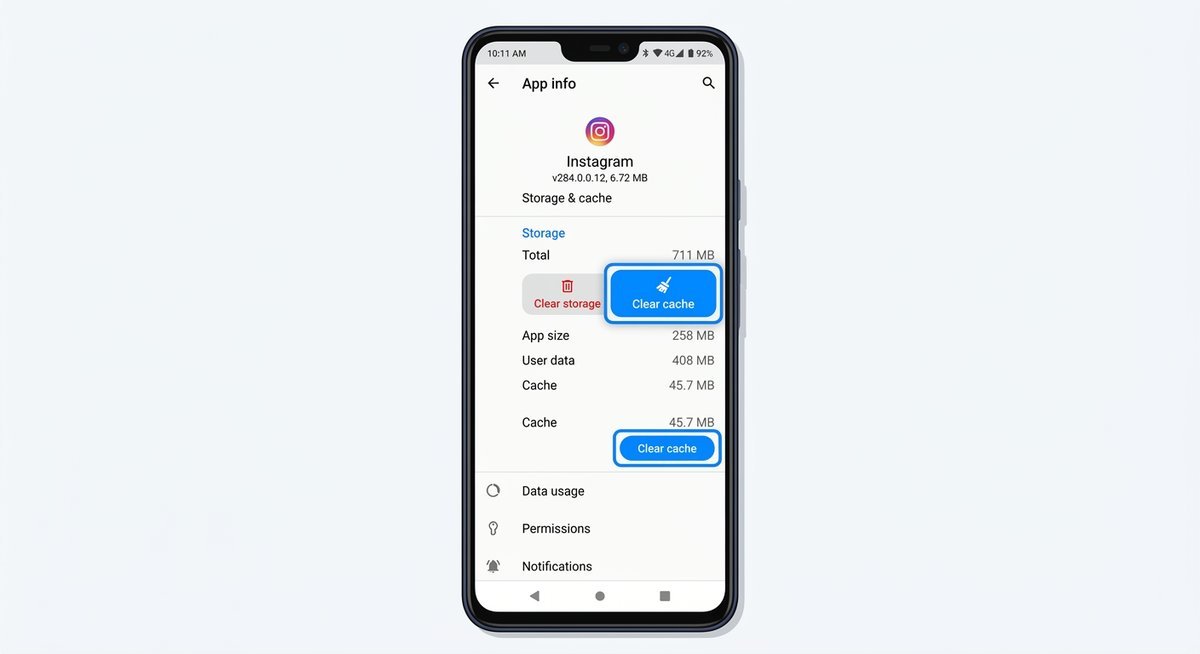
The ChatFAI Android app sometimes falls behind the web version in updates, causing sync errors, missing features, or login loops. Force-stopping the app and clearing its data cache (Settings → Apps → ChatFAI → Storage → Clear Cache) resolves 80% of mobile-specific problems. If issues persist after cache clearing, uninstall completely and reinstall from the Google Play Store to get the latest version.
Force Stop and Clear Cache
Navigate to your Android Settings → Apps → ChatFAI. Tap “Force Stop” first, then tap Storage.
Select “Clear Cache” (not Clear Data, which logs you out). Restart the app and test. This fix resolves lag, freezing, and partial load issues.
Update or Reinstall the App
Open Google Play Store and search for ChatFAI. If an update is available, install it immediately.
If you’re already on the latest version and problems persist, uninstall the app completely. Restart your device, then reinstall from the Play Store. This ensures you have clean installation files without corrupted data.
Use the Web Version Instead
Visit chatfai.com in your mobile browser as a temporary workaround. The web version receives updates immediately and doesn’t require app store approval delays.
Add the site to your home screen for quick access. Performance is nearly identical to the native app for most use cases.
Frequently Asked Questions
Is ChatFAI down right now?
Check r/ChatFAI on Reddit or DownDetector.com for real-time outage reports. If multiple users are posting about access issues within the last 10-15 minutes, the service is likely experiencing downtime. ChatFAI doesn’t maintain an official status page, so community channels are the fastest way to confirm platform-wide issues versus local problems.
How do I fix “failed to generate response” errors?
Check your message limit first in Settings → Usage. Free accounts have a 500 message monthly cap. If you’re under the limit, clear your browser cache and cookies, then try in an incognito window to rule out extension conflicts. Wait 15-30 minutes if the error persists, as temporary server overload during peak hours causes sporadic failures.
Can I get my banned ChatFAI account back?
Email support@chatfai.com with your account details and explanation. Most chatfai ban decisions are permanent, but legitimate mistakes are occasionally overturned. Include your registered email, ban date, and specific reasons you believe the ban was incorrect. Expect 2-7 business days for a response, though successful appeals are rare.
Why does the Android app behave differently than the web version?
The Android app sometimes lags behind web updates due to Google Play Store approval processes. This creates temporary feature mismatches or compatibility issues. Force-stop the app, clear its cache in Android Settings → Apps → ChatFAI → Storage, and check for updates in the Play Store. Use the mobile web version at chatfai.com as an alternative during app issues.
For additional ChatFAI guidance, see our complete ChatFAI guide or learn how to use ChatFAI effectively.