


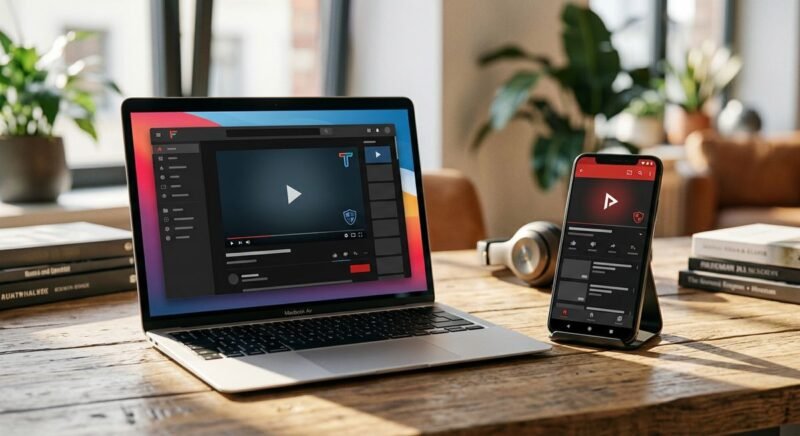
FreeTube and NewPipe are the two most capable privacy-focused YouTube clients available today — but they don’t compete directly, because they run on entirely different platforms. FreeTube is a desktop application for Windows, macOS, and Linux. NewPipe is an Android-only app. Choosing between them is mostly a question of which device you’re actually watching on.
The underlying problem both apps solve is the same: YouTube, by default, tracks everything — your watch history, search queries, device fingerprint, and browsing behavior — whether you’re logged in or not. Google’s advertising infrastructure depends on that data. These two open-source clients intercept that relationship entirely, pulling video data without ever contacting Google’s servers in the conventional sense.
Most freetube vs newpipe comparisons stop there, at a basic feature checklist. This one doesn’t. Beyond the head-to-head, there are real gaps worth addressing — what privacy-conscious iOS users are supposed to do (neither app supports iPhone), where Android TV fits in, and how web-based alternatives like Piped stack up against native clients. Platform fit, setup friction, and long-term reliability all matter more than any single feature.
FreeTube vs NewPipe: Head-to-Head Comparison Table
FreeTube runs on Windows, macOS, and Linux. NewPipe runs on Android. They don’t compete — they serve entirely different platforms. The table below maps six privacy YouTube clients across the dimensions that actually determine which one fits your setup, including two tools (SmartTube for Android TV and Yattee for iOS/macOS) that most comparisons quietly ignore.
What the table covers
Six dimensions, chosen because they reflect real decision points rather than spec-sheet padding. Platform tells you whether the app runs on your device at all. Privacy approach explains the mechanism — not just “no tracking,” but how Google is kept out of the data flow. Downloads flags offline support. Ease of use is rated 1–5, where 5 means a non-technical user can be up and running in under five minutes. Needs Google Account is binary. Open source confirms whether the code is publicly auditable. Every tool listed is free.
The comparison table
| App | Platform | Privacy Approach | Downloads | Ease of Use (1–5) | Needs Google Account | Open Source |
|---|---|---|---|---|---|---|
| FreeTube | Windows, macOS, Linux | Local API extraction — no Google servers contacted by default | Yes | 4 | No | Yes |
| NewPipe | Android | Custom extractor scrapes YouTube without any Google API calls | Yes | 3 | No | Yes |
| LibreTube | Android | Routes all requests through Piped proxy — your IP never reaches Google | Yes | 3 | No | Yes |
| SmartTube | Android TV / Fire TV | Direct YouTube data access without Google account or Play Services | No | 4 | No | Yes |
| Piped | Web (any browser) | Server-side proxy; your browser never contacts YouTube or Google directly | No | 5 | No | Yes |
| Yattee | iOS, macOS, tvOS | Connects via Invidious or Piped instance as backend proxy | Yes | 3 | No | Yes |
FreeTube Deep Dive — Best for Desktop Privacy
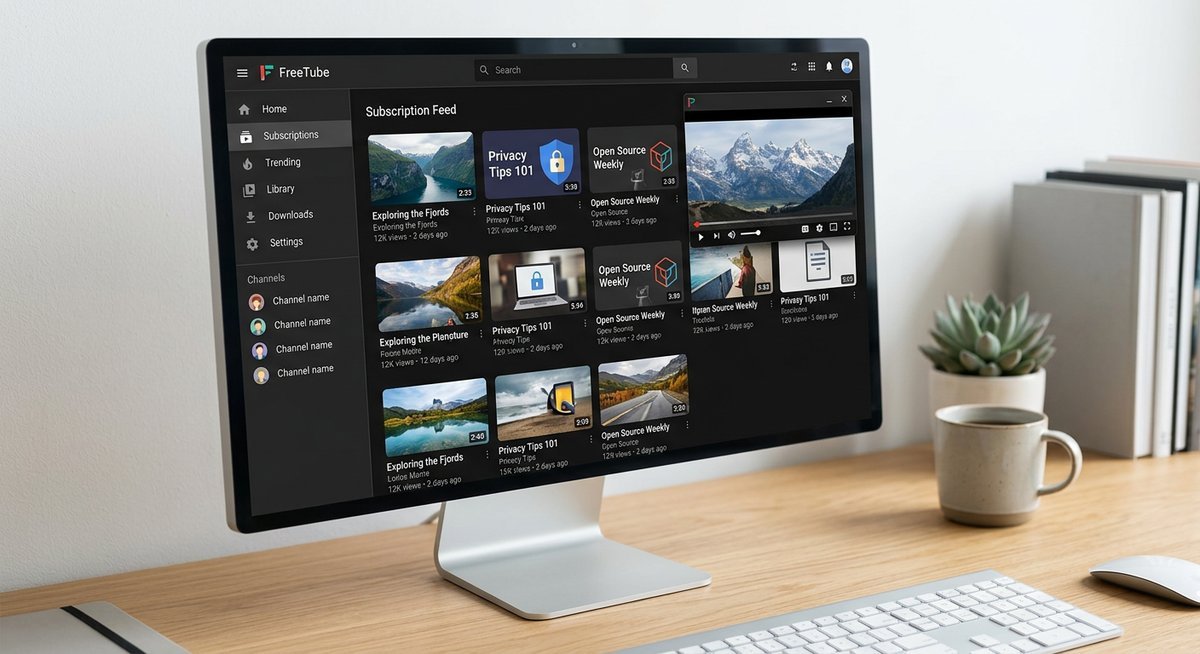
FreeTube is the strongest privacy-first YouTube client available for Windows, macOS, and Linux — and it achieves that privacy without requiring a Google account, a VPN, or any browser extension. Built on Electron, FreeTube runs as a native desktop application that never sends your viewing data to Google’s servers by default.
How FreeTube protects your privacy
FreeTube offers two distinct API modes, and the distinction matters technically. The default Local API mode extracts YouTube data entirely client-side — no request ever touches a Google server. FreeTube’s built-in extractor handles video metadata, thumbnails, and streams directly, which means Google has no visibility into what you’re watching or searching.
The alternative Invidious API mode routes requests through a third-party Invidious proxy instance instead. This shifts the privacy trust from Google to whichever Invidious server you select — useful if the local extractor breaks after a YouTube update, but technically a weaker privacy guarantee than the default mode.
All subscriptions, watch history, and playlists are stored in a local database on your device — never in the cloud, never synced to an external account. SponsorBlock is built in natively, letting FreeTube automatically skip sponsored segments, intros, and filler without any additional setup. No Google account is required at any point.
FreeTube features and limitations
The feature set is genuinely competitive for a desktop-only tool. FreeTube supports picture-in-picture playback, a distraction-free UI that strips YouTube’s algorithmic recommendations sidebar, and a built-in subscription manager that works without logging into anything. Subscriptions can be imported and exported via JSON, or pulled in from a Google Takeout file — a clean onboarding path for users migrating away from YouTube’s native app.
| Feature | Available in FreeTube | Notes |
|---|---|---|
| Ad-free playback | ✅ Yes | No ads served; SponsorBlock also built in |
| SponsorBlock | ✅ Yes | Native integration, no extension needed |
| Subscription import/export | ✅ Yes | JSON or Google Takeout format |
| Picture-in-picture | ✅ Yes | Desktop OS-level PiP support |
| Mobile app | ❌ No | Desktop only (Windows/macOS/Linux) |
| Casting (Chromecast/AirPlay) | ❌ No | No casting support currently |
The limitations are real and worth stating plainly. FreeTube has no mobile client — if you’re on Android, it simply isn’t an option. Casting to a TV or external display via Chr
NewPipe Deep Dive — Best for Android Without Google Play
NewPipe is the gold-standard privacy YouTube client for Android — a fully open-source app that streams, downloads, and manages YouTube content without ever contacting a Google server, installing Google Play Services, or requiring any account whatsoever. For Android users serious about de-Googling their device, nothing else comes close.
How NewPipe protects your privacy
The engine behind NewPipe’s privacy model is the NewPipeExtractor library — an open-source scraping layer that parses YouTube’s public web responses directly, bypassing the YouTube Data API entirely. No API key. No OAuth token. No call home to Google’s infrastructure at any point during playback or browsing.
NewPipe requires zero Google account sign-in, zero Google Play Services, and zero Firebase analytics — which matters enormously on custom Android ROMs like GrapheneOS or CalyxOS where Google services are intentionally absent. All subscriptions, watch history, and playlists live exclusively in local storage on your device.
Critically, NewPipe is not available on the Google Play Store — and that’s a deliberate privacy feature, not an oversight. Distributing through Google Play would require Google’s review process and expose install data to Google’s ecosystem. Instead, NewPipe is available through F-Droid (the open-source Android app repository) or as a direct APK download from the official NewPipe GitHub repository. F-Droid itself verifies the build reproducibly, so users can confirm the binary matches the source code.
NewPipe features and limitations
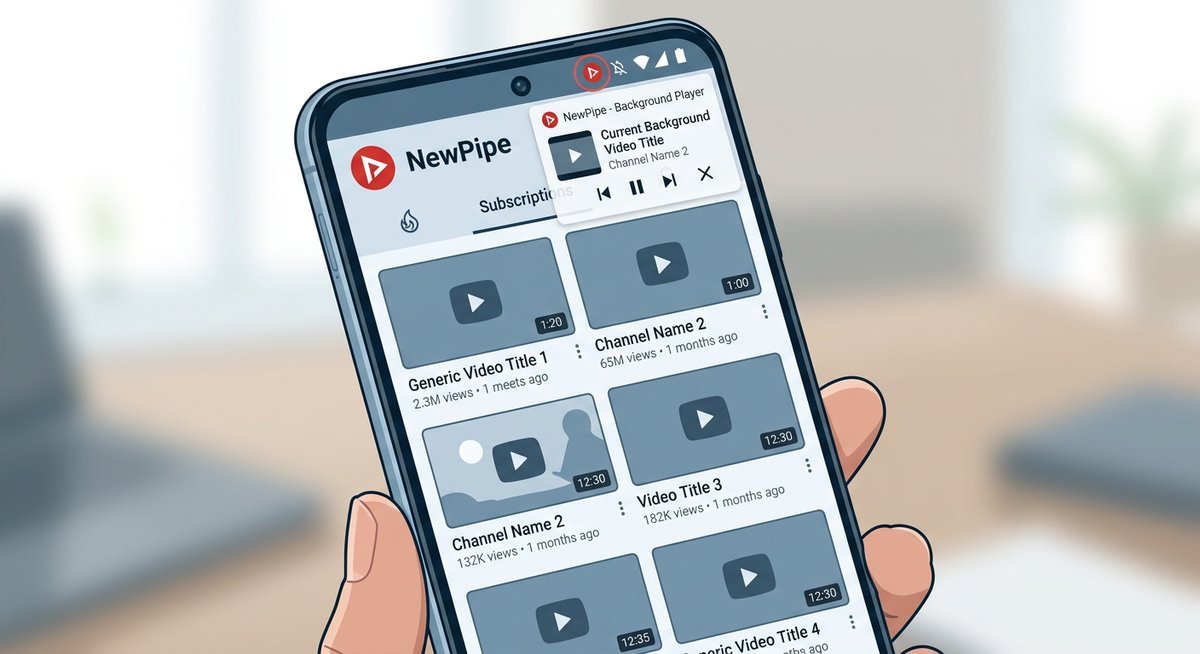
NewPipe punches well above its weight on features. Background playback — audio continuing while the screen is off or another app is open — works natively without a YouTube Premium subscription. The floating popup player lets video run in a resizable overlay on top of other apps.
Audio-only mode strips the video stream entirely, saving mobile data while listening to music or podcasts. Downloads for both video and audio are built in, with format and quality selection. Importing existing YouTube subscriptions is handled cleanly via Google Takeout export — no Google account needed after the one-time export. NewPipe also supports PeerTube and SoundCloud natively, making it a multi-platform media client, not just a YouTube wrapper.
| Feature | NewPipe Support |
|---|---|
| Background playback | ✅ Built-in, no subscription |
| Popup/floating player | ✅ Yes |
| Audio-only mode | ✅ Yes |
| Video & audio downloads | ✅ Yes |
| PeerTube / SoundCloud | ✅ Yes |
| Google Play required | ❌ No |
| iOS support | ❌ No |
The limitations are real. NewPipe is
Which Should You Use? Clear Verdicts by Use Case
The honest answer: FreeTube and NewPipe don’t compete — they serve entirely different hardware. FreeTube owns the desktop, NewPipe owns Android. The real decision is what to use when neither fits your device.
| Your Situation | Best Pick | Why |
|---|---|---|
| Windows, Mac, or Linux desktop | FreeTube | Local API mode, zero Google contact, polished UI |
| Android without Google Play Services | NewPipe (via F-Droid) | No Google APIs, background playback, audio-only mode |
| Android TV or Smart TV | SmartTube | Purpose-built for TV remotes; NewPipe and FreeTube have no TV interface |
| iOS user wanting privacy | Yattee | FreeTube and NewPipe have zero iOS support — Yattee routes through Invidious on iPhone and iPad |
| No installs, browser-only access | Piped or Invidious | Web-based Invidious proxies strip Google tracking without any app download |
| Android user who wants a native feel | LibreTube | Cleaner Material You design than NewPipe; routes through Piped backend |
The iOS Gap Nobody Mentions
Neither FreeTube nor NewPipe has ever shipped an iOS build, and neither project has announced plans to do so. Yattee — available on the App Store and via AltStore — is currently the most viable privacy-focused YouTube client for iPhone and iPad users, proxying requests through a self-hosted or public Invidious instance.
Android TV Is a Separate Category
SmartTube is purpose-built for Android TV and Fire TV devices. The FreeTube mobile and smart TV options guide covers setup instructions for each platform’s best alternative., with full remote-control navigation and SponsorBlock support baked in. Trying to run NewPipe on a TV interface is a frustrating workaround. SmartTube solves that problem cleanly — and competitors almost universally ignore it exists.
Picking the Right Alternative for Your Setup
The best YouTube alternative depends entirely on your platform, privacy requirements, and tolerance for occasional breakage. No single client covers every device and use case — the privacy-respecting YouTube ecosystem is fragmented by design.
| Use Case | Best Pick | Why |
|---|---|---|
| Desktop privacy purist | FreeTube (Local API + VPN) | Full local storage, no third-party dependency, most features |
| Android daily driver | NewPipe or LibreTube | Mature mobile apps, background play, download support |
| Browser-only, no install | Invidious or Piped | Web-based, works on any device with a browser |
| Smart TV / Fire TV | SmartTube | Built for TV interfaces, remote-friendly, SponsorBlock |
| iOS / iPhone | Yattee or Invidious web | No FreeTube or NewPipe for iOS — these are the viable options |
FreeTube and NewPipe complement each other rather than compete directly. The full FreeTube privacy and feature guide details the desktop client’s unique local-only data model. Running FreeTube on desktop and NewPipe on Android gives you privacy-respecting YouTube across your primary devices without sharing data between them — which is, arguably, the point.
Frequently Asked Questions
Is FreeTube actually more private than YouTube?
Yes. FreeTube stores all data locally, serves no ads, and makes no authenticated requests to Google during normal use. YouTube in a browser tracks watch history, search queries, and behavioral patterns even in private/incognito mode (via cookie-less fingerprinting). The privacy gap is substantial and structural, not cosmetic.
What is the best FreeTube replacement if it stops working?
Invidious (web-based) and Piped (web-based, newer) are the closest functional equivalents that require no installation. For Android, NewPipe is the standard recommendation. None match FreeTube’s local-only data model exactly, but all eliminate ads and reduce Google tracking.
Are there FreeTube-like apps for Windows besides FreeTube?
Minitube is a minimal Qt-based YouTube client for Windows, Mac, and Linux, though it lacks FreeTube’s privacy features and SponsorBlock integration. For a browser-based approach on Windows, use the LibRedirect extension to automatically route YouTube visits through Invidious or Piped instances.
How does FreeTube compare to Piped?
Piped is a web-based YouTube frontend similar to Invidious but built with a more modern tech stack (Vue.js). It requires no installation and works on any device with a browser. FreeTube offers more features (SponsorBlock, external players, local storage, themes) but only runs on desktop. Piped is the better choice for multi-device access without installs; FreeTube wins on feature depth and privacy control.