



There is no official FreeTube app for Android — and according to the FreeTube project’s own FAQ, a mobile port is not currently planned. The desktop client is built on Electron, a framework that does not translate to Android or iOS, which makes a direct port architecturally complicated rather than simply a matter of developer bandwidth.
That gap hasn’t stopped the community from trying to fill it. An unofficial fork called FreeTubeAndroid exists on GitHub, built independently by a third-party developer with no affiliation to the core FreeTube team. For privacy-conscious users, that distinction matters — and the detailed comparison between FreeTube, NewPipe, and other YouTube alternatives helps clarify which option fits each platform best.
What follows covers the full picture: which platforms have genuine FreeTube support, where the unofficial Android fork comes from and whether it’s reasonably safe to use, and which vetted alternatives — NewPipe, LibreTube, SmartTubeNext, Yattee — are worth considering depending on your device. The freetube android question turns out to be the tip of a much larger platform availability puzzle that no single source has cleanly mapped out. Until now.
Is There an Official FreeTube App for Android?
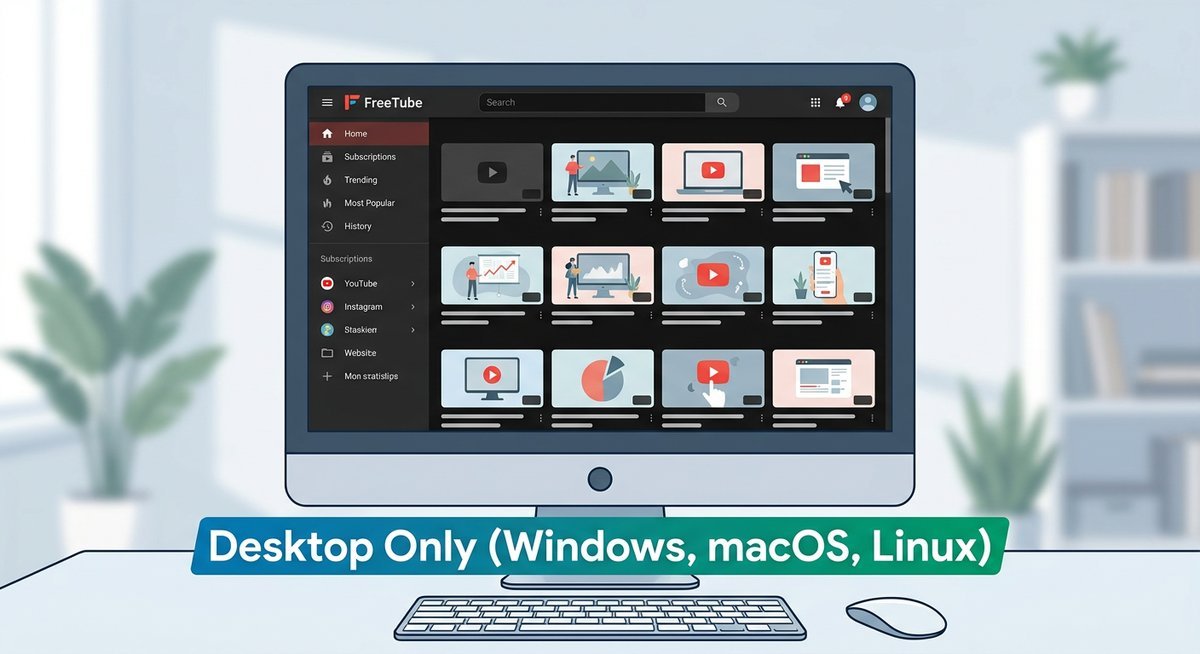
There is no official FreeTube app for Android, and the FreeTube development team has not announced plans to build one. FreeTube exists exclusively for Windows, macOS, and Linux. Any Android app using the FreeTube name is a community-created project with no connection to the official development team.
Why FreeTube Is Desktop-Only (For Now)
FreeTube is built on Electron, a framework that packages web technologies into desktop applications. Electron does not compile to Android or iOS — it is architecturally incompatible with mobile operating systems by design. Porting FreeTube to Android would require rebuilding the application from the ground up in a different framework, not simply recompiling the existing codebase.
This is a harder constraint than it might appear. Electron apps depend on Chromium and Node.js running locally on the device, neither of which operates within Android’s sandboxed app environment. The gap between FreeTube’s current architecture and a functional Android app is significant engineering work, not a minor adjustment.
What the FreeTube Team Has Said About Mobile
According to the official FreeTube FAQ, a mobile port is not currently planned. The FreeTube team has cited the architectural constraints of Electron as the primary reason, and the FAQ explicitly states that no iOS port is in development either. The project’s focus remains on improving the desktop experience across its three supported platforms.
The practical implication is straightforward: if an app on the Google Play Store or any APK site calls itself “FreeTube,” it has not been built, reviewed, or endorsed by the FreeTube core team. That distinction matters enormously for privacy-focused users who trust FreeTube specifically because of its transparent, audited development process.
Platform Availability at a Glance
FreeTube has official support on exactly three platforms — Windows, macOS, and Linux — and no others. The complete FreeTube desktop guide covers the full feature set and privacy architecture on those supported platforms. Every other device category, from Android phones to smart TVs to streaming sticks, falls into either community fork territory or requires a separate privacy-focused alternative entirely.
Full Platform Support Table
No single resource consolidates this information across every platform users actually search for. The table below fills that gap — covering official support, community forks, and vetted alternatives in one place.
| Platform | Official FreeTube Support | Community / Fork Option | Recommended Alternative |
|---|---|---|---|
| Windows | ✅ Official | — | — |
| macOS | ✅ Official | — | — |
| Linux | ✅ Official | — | — |
| Android | ❌ None | FreeTubeAndroid (GitHub fork) | NewPipe, LibreTube |
| iOS / iPhone / iPad | ❌ None | None | Yattee, Invidious (web) |
| Fire TV / Firestick | ❌ None | None | SmartTubeNext |
| Roku | ❌ None | None | Screen mirroring, Invidious web |
| Google TV / Android TV | ❌ None | None | SmartTubeNext |
| LG TV (webOS) | ❌ None | None | Invidious via built-in browser |
| NVIDIA Shield | ❌ None | None | SmartTubeNext |
| Chromecast | ❌ None | None | Cast from browser or SmartTubeNext |
Roku deserves a specific callout: there is no app-based solution, official or otherwise. The most practical path for Roku users is screen mirroring from a phone or laptop, or accessing an Invidious instance through Roku’s built-in browser where available.
The Unofficial FreeTube Android Fork — Should You Use It?
The FreeTubeAndroid fork is open source, carries a minimal permission footprint, and is available through two reasonably trustworthy distribution channels — but it is not affiliated with the official FreeTube project in any way, and its maintenance history is thin. For privacy-focused users, that distinction matters more than the app’s feature list.
What Is FreeTubeAndroid?
The MarmadileManteater/FreeTubeAndroid project on GitHub is a community-built Android client inspired by FreeTube’s core privacy principles: no Google account required, no tracking, local subscription storage. The FreeTube core team did not create it, does not maintain it, and has not formally endorsed it. Think of it as a spiritual sibling rather than a port.
The app is distributed as an APK via the repository’s GitHub Releases page and is also listed in the IzzyOnDroid F-Droid repository. Neither channel is the Google Play Store, which means installation requires enabling unknown sources on your device.
Where to Download It Safely
There are exactly two sources worth trusting. First, the official GitHub Releases page for the MarmadileManteater/FreeTubeAndroid repository — the APK there is signed by the developer and matches the public source code. Second, IzzyOnDroid, an F-Droid-compatible repository that performs basic metadata verification and permission audits before listing any app.
Avoid APK mirror sites entirely. Random mirrors have no verification pipeline, and a privacy-focused app downloaded from an unverified source is a contradiction in terms.
Honest Trust and Safety Context
The fork is open source, so technically anyone can audit the code — and that transparency is genuinely meaningful. In practice, however, open source only protects users when someone is actually doing the auditing. A project with a small contributor base and infrequent commits receives far less community scrutiny than a widely adopted app like NewPipe, which has thousands of GitHub stars and an active review community.
| Factor | FreeTubeAndroid (Fork) | NewPipe (Established Alternative) |
|---|---|---|
| Official FreeTube affiliation | None | N/A — separate project |
| F-Droid availability | IzzyOnDroid repo only | Official F-Droid repo |
| Community scrutiny | Low (small contributor base) | High (large, active community) |
| Active maintenance | Intermittent | Regular updates |
| Permission footprint | Minimal | Minimal |
The honest verdict: FreeTubeAndroid is a legitimate project built in good faith, and the download risk from its two verified sources is low. For users who specifically want the FreeTube UI aesthetic on Android, it’s worth trying. For users who prioritize app maturity and active maintenance, NewPipe remains the safer bet on Android.
FreeTube on Smart TVs and Streaming Devices
Smart TVs and streaming boxes present the biggest gap in FreeTube’s platform coverage. No FreeTube client exists for Roku, LG webOS, Samsung Tizen, or Google TV natively. The options depend entirely on the device’s underlying operating system.
Fire TV and Android TV
Amazon Fire TV Stick and Android TV devices (including NVIDIA Shield and Google TV) can sideload the FreeTubeAndroid APK, but the experience is poor — the interface is not optimized for remote control navigation. SmartTube is the far better choice for these platforms: it was built specifically for TV interfaces, supports SponsorBlock, and handles remote-control input natively. Install SmartTube from smarttubeapp.github.io — it is not available on the Google Play Store or Amazon Appstore.
Roku and LG TV
Roku runs a proprietary operating system that does not support sideloading Android apps. There is no FreeTube app, no NewPipe, and no SmartTube for Roku. The only privacy-respecting workaround is screen mirroring from a desktop running FreeTube, or using the Roku’s built-in browser to access an Invidious web instance. LG TVs running webOS face the same limitations — no sideloading, no third-party YouTube clients.
Chromecast and Casting
FreeTube desktop has limited casting support through external players. Configure VLC as the external player in FreeTube settings, then use VLC’s built-in stream rendering to cast to Chromecast devices. The workflow is functional but clunky — play a video in FreeTube via VLC external player, then use VLC’s Playback → Renderer menu to select a Chromecast target. Direct casting from FreeTube’s built-in player is not currently supported.
Frequently Asked Questions
Is there a FreeTube app for iPhone or iOS?
No. FreeTube does not exist on iOS, and Apple’s App Store policies make it unlikely that a YouTube-scraping privacy client will be approved. The closest iOS alternatives are Yattee (an open-source Invidious/Piped client for iOS) and accessing Invidious instances directly through Safari.
Can I download FreeTube on iPad?
No. Like iPhone, iPad runs iOS/iPadOS and FreeTube has no iOS version. Yattee from the App Store or an Invidious web frontend in Safari are the practical alternatives for ad-free YouTube viewing on iPad.
Is there a FreeTube app for Roku?
No. Roku’s closed operating system does not support sideloading or third-party YouTube clients. Screen mirroring from a desktop running FreeTube is the only workaround. For dedicated TV hardware, an Android TV device with SmartTube provides a better experience.
Is the FreeTubeAndroid APK safe to install?
The APK from MarmadileManteater’s GitHub repository or the IzzyOnDroid F-Droid repository is safe — both are verified, open-source distribution channels. Avoid APKs from any other source. The project is not affiliated with the official FreeTube team, but the code is fully open and auditable.
Does FreeTube work on NVIDIA Shield?
You can sideload the FreeTubeAndroid APK onto NVIDIA Shield, but the interface is not TV-optimized. SmartTube is purpose-built for Android TV devices including NVIDIA Shield and provides a significantly better experience with remote control navigation and SponsorBlock support.