




Klover advances up to $400 against your next paycheck with no credit check and no subscription fee, but it earns that generosity by monetizing your financial data. Users accumulate points by sharing transaction history, scanning receipts, and completing surveys, which then unlock higher advance limits. It works. Until it doesn’t.
Plenty of users hit the advance ceiling right when they need more. Others grow uncomfortable with the data-sharing trade-off after reading the fine print. Some get rejected outright because their income pattern doesn’t fit Klover’s algorithm, and a few simply can’t wait the standard transfer window when rent is due in three hours. These are real friction points, and they explain why apps like Klover have become a crowded, competitive category worth navigating carefully.
“I wouldn’t say never, but understand your limits and never borrow more than you can afford. And definitely read the fine print. The fees are always hidden.”
— r/povertyfinance, February 2024 (244 upvotes)
The ten alternatives ahead cover the full spectrum: earned wage access platforms tied to employer partnerships, no-fee cash advance apps built on optional tipping, paycheck advance apps with instant bank transfer options, and subscription-based tools that skip data monetization entirely. Each entry breaks down advance limits, fees, transfer speed, and eligibility requirements. Those are the details that actually determine whether an app works for your situation.
How Klover Works — and Why You Might Need an Alternative
Klover advances up to $400 with no subscription fee by monetizing your financial data through receipt scans, surveys, and transaction history shared with third-party advertisers. Users who hit the $400 ceiling, dislike the data trade-off, or need faster transfers are the primary candidates for alternatives.
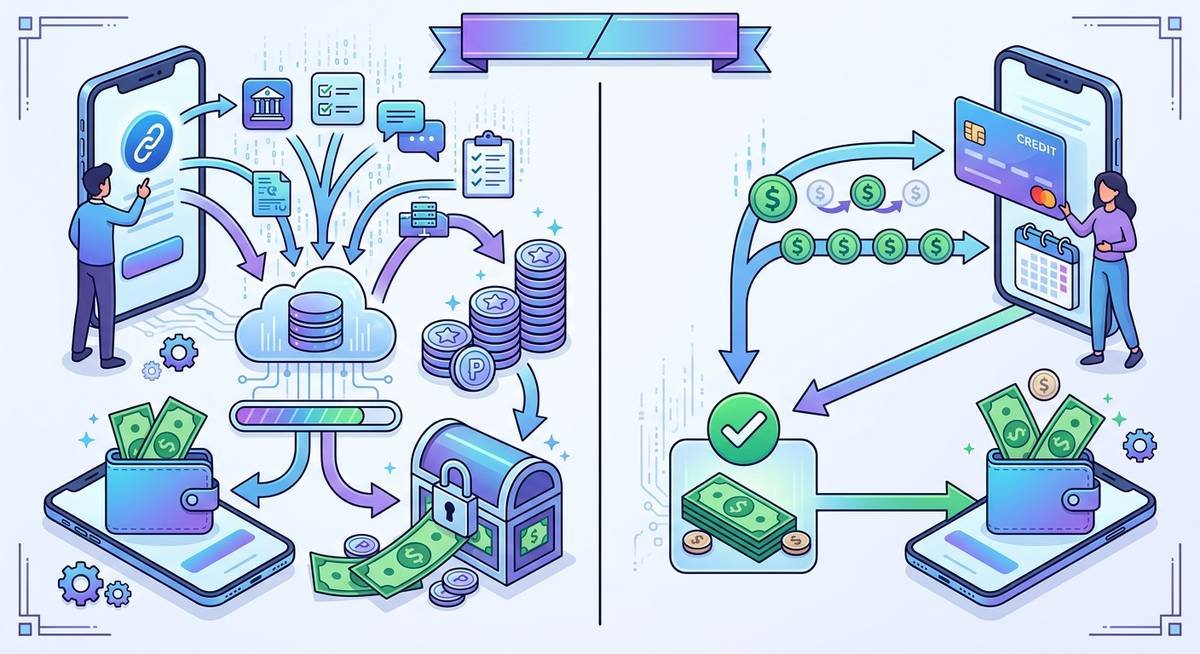
Klover’s data-for-cash model explained
Klover’s points system is the engine behind its no-fee cash advance structure. Users earn points by completing specific actions: connecting their bank account, scanning grocery or retail receipts, watching short video ads, and answering survey questions. Those points accumulate and directly determine how much the app will advance, starting as low as $5 for new users and scaling toward the $400 ceiling as the point balance grows.
The revenue model is explicit in Klover’s privacy policy, which states that aggregated, de-identified financial data is shared with data analytics and marketing partners. This is a fundamentally different business model than a no-fee cash advance app like Earnin, which relies on optional tips, or a subscription platform like Brigit, which charges $9.99 per month. Klover’s currency is behavioral and financial data, not your subscription dollar.
Common reasons users look for Klover alternatives
Three friction points drive most users toward alternatives. First, the $400 advance ceiling is a hard cap. Once you hit it, no amount of receipt scanning unlocks more. For gig workers covering a car repair or a missed rent payment, $400 often isn’t enough, especially when apps like MoneyLion offer instant bank transfers up to $500 or Earnin extends up to $750 per pay period.
Second, Klover’s data-sharing arrangement makes a growing segment of users uncomfortable. Sharing anonymized transaction history and purchase receipts with third-party advertisers is the direct cost of “free” advances. For users who prioritize financial privacy, that trade-off isn’t worth it.
Third, Klover’s standard transfer can take one to three business days. Instant delivery is available, but it carries an express fee that erodes the no-fee appeal. Users who need cash in under 30 minutes frequently find the speed-to-cost ratio doesn’t work in Klover’s favor.
The 10 Best Cash Advance Apps Like Klover in 2026
Ten cash advance apps match or beat Klover’s $400 ceiling, with advances ranging from $50 (FloatMe) to $1,000 (MoneyLion with RoarMoney). Nine of them skip the data-monetization model entirely. Each profile below covers advance limit, fees, transfer speed, direct deposit requirement, and the single feature that sets it apart from the pack.

Dave
Dave’s ExtraCash feature advances up to $500 — $100 more than Klover’s ceiling — with no credit check and no direct deposit requirement. Users weighing apps like Dave and Earnin side by side will find Dave’s lower eligibility bar is the clearest differentiator. Membership runs $1 per month, making it one of the cheapest subscription-based paycheck advance apps on the market. Standard transfers arrive within 1–3 business days; express delivery to a debit card typically lands in under an hour for a small flat fee (usually $3–$7 depending on advance size).
The standout feature is eligibility flexibility. Gig workers and hourly employees who lack a traditional payroll direct deposit can still qualify, which immediately puts Dave ahead of earned wage access apps that require employer verification.
Earnin
Earnin operates on a true earned wage access model. You can only draw against hours already worked, not a flat credit line. The ceiling is $750 per pay period, the highest of any no-fee cash advance app in this list. There are no mandatory fees; Earnin runs on optional tips, and Lightning Speed transfers (under 30 minutes to a debit card) are available free for users with a supported bank.
The trade-off is verification. Earnin requires either employer timesheet access or location-based work tracking, which disqualifies freelancers and gig workers without a fixed employer. If you can clear that bar, the $750 limit and zero mandatory fees make it the most cost-effective option for larger advances.
MoneyLion
MoneyLion’s Instacash advances start at up to $500 with a standard bank account and climb to $1,000 for users who open a RoarMoney account. That’s the highest ceiling among all apps compared here. The APR is 0%, tipping is optional, and instant bank transfer to an external debit card is available for a small fee. MoneyLion also bundles investment accounts, credit-builder loans, and a financial wellness score into the same app.
That ecosystem depth is the standout feature. For budget-conscious users who want more than just a quick advance (think credit building alongside occasional cash flow help), MoneyLion operates more like a full financial platform than a single-purpose paycheck advance app.
Brigit
Brigit charges $9.99 per month and advances up to $250, with instant transfers available at no additional charge. That’s a meaningful perk when most competitors charge $3 to $8 for express delivery. The subscription also activates automated overdraft protection: Brigit monitors your balance and pushes a cash advance automatically before your account goes negative, without you having to request it manually.
Credit-building tools are included in the same $9.99 plan, which adds long-term value beyond the immediate advance. The $250 ceiling is lower than Dave or Earnin, but for users who primarily need a small, reliable safety net with zero transfer fees, Brigit’s automation is hard to beat.
Albert
Albert advances up to $250 with no mandatory fees on standard transfers. Instant delivery is available, but only to the Albert debit card, not an external bank account. That restriction matters. The optional Genius subscription ($14.99/month) adds human financial coaching, a feature no other app on this list offers at that price point.
For users who want occasional advances paired with real budgeting guidance, Albert sits in a unique lane. The instant transfer limitation is a genuine friction point, though, for anyone who doesn’t already use Albert as their primary debit account.
Cleo
Cleo leads with an AI budgeting assistant that tracks spending, roasts your spending habits (yes, roasting is literally a feature), and offers cash advances up to $250 through a Cleo Plus subscription at $5.99 per month. No credit check is required, and the app’s gamified savings challenges make it distinctly popular with Gen Z users who find traditional finance apps dry. Express transfers carry a separate fee of $3.99 to $14.99 depending on advance size.
The advance itself is straightforward, but the surrounding experience is what differentiates Cleo. If the reason you’re looking for a Klover alternative is that you want more engagement and less data extraction, Cleo’s subscription model means your financial behavior stays inside the app rather than being sold to third parties.
Chime SpotMe
Chime SpotMe is fee-free overdraft coverage up to $200, not a traditional cash advance. The distinction matters. Qualifying users are enrolled automatically once they receive at least $200 in direct deposits per month to their Chime account. There’s no request process, no transfer fee, and no subscription charge for the SpotMe feature itself.
The obvious limitation: SpotMe only works if Chime is already your primary bank. For users already in the Chime ecosystem, though, it’s the cleanest no-fee cash advance equivalent available: no points to earn, no data to share, no tip prompt at checkout.
FloatMe
FloatMe is a micro-advance app: $4.99 per month, advances capped at $50, no credit check. The low ceiling is intentional. FloatMe targets users who need a small buffer to avoid a $35 overdraft fee, not users chasing a $300 advance. A deeper look at cash advance apps like FloatMe reveals several competitors in this micro-advance tier. Three or more months of bank account history is required for approval.
At $4.99/month, FloatMe is the lowest-cost subscription on this list. For someone who just needs a reliable $20–$50 bridge between paychecks a few times a year, it’s a cheaper long-term option than paying express fees on a larger-advance app every time.
Branch
Branch is an earned wage access platform built specifically for hourly and gig workers — the same audience that relies on platforms like Shiftsmart for gig work — with instant pay available between scheduled payroll cycles at no subscription cost. There are no monthly fees, and instant transfers to the Branch debit card are free. The hard constraint is employer partnership — Branch only works if your employer has integrated Branch’s payroll system, which limits eligibility significantly.
For workers at a Branch-partnered employer (common in retail, logistics, and healthcare), this is arguably the best no-fee option available. Outside that network, it’s not accessible at all, which is why it ranks lower for general audiences despite its strong feature set.
Empower
Empower charges $8 per month and advances up to $300 with no direct deposit requirement. It is one of the few subscription apps that doesn’t gate advances behind payroll routing. Instant transfers to the Empower debit card are included in the subscription; transfers to an external bank account carry a small express fee. The Empower card also earns cash back on everyday purchases, adding a secondary value layer.
The no-direct-deposit policy is the standout feature for users who freelance, work multiple gig platforms, or simply haven’t set up payroll routing. At $8/month for up to $300 with fast access, Empower competes directly with Dave and MoneyLion for users who prioritize speed and flexibility over advance size.
Side-by-Side Comparison Table: Apps Like Klover at a Glance
Monthly fees across all 11 apps range from $0 to $9.99, advance ceilings span $50 to $1,000, and only three require a traditional direct deposit. None run a hard credit check. The table below maps every decision-critical dimension in one view so you can compare without toggling between app store pages.
How to read this table
Six columns cover the dimensions that actually drive download decisions for gig workers, hourly employees, and budget-conscious users evaluating a paycheck advance app. Max Advance reflects the published ceiling for a standard eligible user — not a promotional figure. Monthly Fee is the recurring subscription cost; $0 means no mandatory subscription, though optional tips may apply. Instant Transfer Fee is the one-time charge for an expedited bank transfer or debit push — “instant” here means funds arrive in under 30 minutes to a linked debit card. Direct Deposit Required flags whether a qualifying direct deposit is a hard prerequisite. Credit Check indicates whether a hard inquiry is run. Standout Feature captures the single sharpest differentiator for each app.
Comparison table
| App | Max Advance | Monthly Fee | Instant Transfer Fee | Direct Deposit Required | Credit Check | Standout Feature |
|---|---|---|---|---|---|---|
| Klover | $400 | $0 | $2.99–$20.78 | No | No | Data-for-points model; earn higher limits by sharing financial data |
| Dave | $500 | $1 | $3–$25 | No | No | Highest no-credit-check advance with no direct deposit requirement |
| Earnin | $750 | $0 | $3.99 (Lightning Speed) | Yes | No | True earned wage access; tip-optional model with no mandatory fees |
| MoneyLion | $1,000* | $0–$19.99 | $0.49–$8.99 | No (higher limits need RoarMoney) | No | Highest advance ceiling; full financial wellness ecosystem |
| Brigit | $250 | $9.99 | $0 (included) | No | No | Automated overdraft protection with instant bank transfer |
| Albert | $250 | $0–$14.99 | $0 (to Albert debit card) | No | No | AI-driven financial coaching bundled with advances |
| Cleo | $250 | $5.99 (Cleo Plus) | $3.99 | No | No | Gamified AI budgeting assistant with cash advance access |
| Chime SpotMe | $200 | $0 | $0 | Yes ($200+/month) | No | Completely no-fee cash advance for existing Chime banking users |
| FloatMe | $50 | $4.99 | $0 (included) | No | No | Low-cost micro-advance safety net for small shortfalls |
| Branch | $500 | $0 | $2.99–$4.99 | Yes (employer partnership) | No | Instant pay for hourly and gig workers via employer integration |
| Empower | $300 | $8 | $0 (to Empower card) | No | No | No direct deposit required; cash-back debit card included |
*MoneyLion’s $1,000 ceiling applies to users with an active RoarMoney account and qualifying deposit history. Standard Instacash advances begin at $500. Advance limits across all apps vary based on individual account history, income consistency, and platform eligibility algorithms. The figures above reflect published maximums, not guaranteed amounts.
One pattern stands out immediately: every app on this list skips the hard credit check entirely, making them functionally equivalent to Klover on that dimension. Where they diverge sharply is fee structure and the earned wage access versus subscription model split, a distinction that matters most to users who are privacy-conscious about Klover’s data-sharing approach and want a flat, predictable monthly cost instead.
Which App Is Right for You? A Scenario-Based Decision Framework
The right cash advance app depends on three variables: how fast you need the money, whether you have direct deposit set up, and how much you need to borrow. The five scenarios below match specific situations to the strongest app for each.
If you need cash in 30 minutes or less
Dave and MoneyLion Instacash are the strongest options for near-instant bank transfer to a debit card. Dave’s express delivery typically lands within minutes for a fee ranging from $3 to $15 depending on advance size, while MoneyLion’s Instacash express transfer runs $0.49 to $8.99. Both beat Klover’s standard 1–3 business day window by a significant margin.
The trade-off is real: express fees on a $100 advance can effectively function like a high APR if you’re borrowing repeatedly. Use express delivery for genuine emergencies, not routine shortfalls.
“You basically have to wean yourself off of them. It’s going to hurt for a little while but you’ll feel so much better in the end. You have to make a plan for how much you can pay back each week without taking on new advances.”
— r/Debt, March 2026 (3 upvotes)
If you have no direct deposit
Empower and Dave are the two clearest no-fee cash advance options that don’t require direct deposit as a hard eligibility condition. Most earned wage access apps (Earnin and Branch specifically) are built around employer or payroll verification, which means gig workers paid through third-party platforms often don’t qualify at all.
Empower’s $300 advance limit with no direct deposit requirement makes it particularly useful for freelancers and contractors. Dave similarly evaluates account activity rather than requiring a formal payroll direct deposit, giving it broader reach among non-traditional workers.
If you want the highest possible advance limit
Earnin tops the field at $750 per pay period through its earned wage access model, though you’ll need verifiable employment and either employer integration or consistent GPS-tracked work hours. MoneyLion reaches $1,000 in Instacash advances, but only for users who open a RoarMoney account and establish a qualifying direct deposit history.
Neither limit is guaranteed from day one. Both apps start new users at lower amounts and increase access incrementally based on account behavior, typically over several weeks.
If you want zero fees or subscriptions
Earnin operates on a voluntary tip model with no mandatory fees and no monthly subscription, making it the closest thing to a genuinely no-fee cash advance in this category. Chime SpotMe offers fee-free overdraft coverage up to $200, but requires at least $200 per month in qualifying direct deposits and an active Chime account.
The size trade-off matters here. Zero-fee access through Chime SpotMe caps at $200, while Earnin’s $750 ceiling comes with the expectation of employer verification most casual users can’t easily satisfy.
If you’re uncomfortable sharing financial data
Klover’s model is structurally different from every other app on this list. It monetizes user data (transaction history, receipt scans, survey responses) as the core revenue mechanism. Subscription-based apps like Brigit ($9.99/month), Albert ($14.99/month for Genius), and Empower ($8/month) generate revenue through membership fees instead, meaning your financial data isn’t the product being sold.
That said, no cash advance app operates without accessing your bank account data. The distinction is whether that data is used internally for underwriting only, or shared with third-party data brokers and advertisers. Klover’s privacy policy explicitly permits broader data sharing; subscription-based competitors generally limit data use to service delivery and credit risk assessment.
| Your Situation | Best App | Key Reason |
|---|---|---|
| Need funds in under 30 minutes | Dave, MoneyLion | Express instant bank transfer available |
| No direct deposit set up | Empower, Dave | No direct deposit required for eligibility |
| Need the largest possible advance | Earnin, MoneyLion | $750–$1,000 ceilings with qualifying accounts |
| Want zero fees or subscriptions | Earnin, Chime SpotMe | Tip-optional or fee-free overdraft coverage |
| Concerned about data privacy | Brigit, Albert, Empower | Subscription model; data not sold to third parties |
Data Privacy and Trustworthiness — What Klover Alternatives Actually Collect
Every cash advance app accesses your bank account data, but Klover is one of only a handful that monetizes that data as its primary revenue source. Subscription-based alternatives like Brigit and Empower charge a flat monthly fee instead, keeping your financial behavior out of third-party advertising pipelines. The Consumer Financial Protection Bureau (CFPB) has increasingly scrutinized how earned wage access and cash advance products handle consumer data.
Klover’s data model vs. subscription-based alternatives
Subscription-based apps like Brigit ($9.99/month), Empower ($8/month), and Albert (variable) monetize through flat membership fees rather than data sales. They still access your transaction history and bank balance through Plaid or similar aggregators. That’s unavoidable for any paycheck advance app to function — but they’re not building an advertising or data-licensing revenue stream on top of it.
The categories of data collected across both models typically include transaction history, income deposit patterns, and employer information. Klover additionally collects receipt data and survey responses tied to consumer behavior. Location data collection varies by app; always check the specific permissions requested at install.
Earned wage access platforms like Earnin and Branch sit in a different category. They verify employment and timesheet data directly, which means employer information flows into their systems as a core eligibility requirement, not just a background signal.
“Stop taking more loans… Direct your paycheck to a new bank account if you can, then pay off the other loan ASAP without taking new ones every single week.”
— r/povertyfinance, February 2024 (128 upvotes) — a Reddit community known for candid financial advice from people navigating low-income situations
The dependency pattern that comment describes is real. Cash advance apps work best as a one-time bridge, not a recurring payroll supplement. Before connecting bank accounts and sharing financial data with any platform, evaluate whether a subscription-fee model or a data-monetization model better aligns with how you plan to use the service.
How to evaluate an app’s trustworthiness before downloading
Before connecting your bank account to any no-fee cash advance or instant bank transfer app, run through this checklist:
- Check the App Store and Google Play rating. Aim for 4.0 stars or higher across a meaningful review volume (10,000+ ratings carries more weight than 500).
- Look up the company’s Better Business Bureau accreditation and complaint history at bbb.org.
- Search the Consumer Financial Protection Bureau’s complaint database at consumerfinance.gov’s payday loan tools for the app’s parent company name.
- Open the app’s privacy policy and search for “sell,” “share,” and “third party.” The language there is legally binding in a way that marketing copy is not.
App ratings and regulatory standing snapshot
| App | App Store Rating | BBB Accredited | Notable CFPB Complaint Volume |
|---|---|---|---|
| Klover | 4.4 ★ | No | Low — limited public complaint history |
| Dave | 4.8 ★ | Yes (A rating) | Moderate — primarily fee-related complaints |
| Earnin | 4.7 ★ | Yes | Moderate — tip pressure and transfer delay complaints |
| MoneyLion | 4.7 ★ | Yes (A+ rating) | Higher volume — account closure and fee disputes noted |
| Brigit | 4.8 ★ | No | Low — advance eligibility complaints most common |
| Empower | 4.7 ★ | No | Low — limited public CFPB history |
High App Store ratings reflect user satisfaction but not regulatory compliance. MoneyLion’s strong 4.7-star rating coexists with a comparatively higher CFPB complaint volume, a reminder that popularity and trustworthiness aren’t the same metric. Cross-referencing all three signals gives you a far more complete picture than any single data point alone.
Frequently Asked Questions
What apps are similar to Klover for cash advances?
Dave, Earnin, MoneyLion, Brigit, and Empower are the closest alternatives to Klover, each offering small-dollar advances without a hard credit check. Dave and Empower stand out specifically because neither requires a direct deposit to qualify, a key advantage Klover shares that most earned wage access apps don’t.
Which cash advance apps give you money instantly without a direct deposit?
Dave and Empower are the strongest no-direct-deposit options among paycheck advance apps, with express transfers typically hitting a debit card in under 30 minutes for a small fee. MoneyLion Instacash also works without direct deposit, though the advance ceiling rises significantly once you open a RoarMoney account.
What is the highest cash advance you can get from apps like Klover?
Earnin offers the highest ceiling at $750 per pay period, followed by MoneyLion at up to $1,000 for RoarMoney account holders. Klover’s maximum is $400, reached only after accumulating enough points through its data-sharing and receipt-scanning model.
Are cash advance apps like Klover safe to use?
Most reputable no-fee cash advance and earned wage access apps use bank-level 256-bit encryption and are registered money service businesses. The meaningful safety distinction is how each app monetizes your data. Klover sells anonymized financial data to third parties, while subscription-based alternatives like Brigit and Albert generate revenue through membership fees instead.
Does Klover require a credit check?
Klover does not run a hard credit check, and neither do any of the ten alternatives covered here. Approval is based on bank account history, deposit frequency, and account age, not credit score.
Conclusion
No single paycheck advance app wins across every category. The right choice depends entirely on what’s blocking you right now. Need cash in under 30 minutes? Dave or MoneyLion. Want the highest possible limit? Earnin’s $750 per pay period leads the pack. Uncomfortable with Klover’s data-sharing model? A flat-subscription app like Brigit or Empower monetizes your membership fee, not your financial behavior.
The scenario framework covered earlier is your fastest decision shortcut. Match your situation to the right app, check the eligibility requirements once, and download it. Overthinking the comparison costs more time than any express transfer fee.
Pick the one no-fee cash advance or earned wage access app that fits your income pattern and try it this week. One good match beats ten tabs open.