




MovieBox built a loyal following on iOS and Android by offering free, on-demand movies and TV shows outside the usual subscription grind. But it was always a mobile-first app, and it has never shipped an official Windows or Mac version. PC users who try running it through an Android emulator like BlueStacks hit a wall fast: sluggish performance, broken playback, and real security risks from sideloading unverified APK files.
The smarter move is skipping the emulator entirely. Several free streaming apps run natively on Windows 10, Windows 11, and macOS — no workaround needed — and a few match or beat MovieBox’s catalog size while operating on fully licensed content. Below are six of the strongest apps like MovieBox for PC, ranked by library depth, streaming quality, offline capability, and legal standing.
Why Look for MovieBox Alternatives on PC?
MovieBox on PC — What’s the Problem?
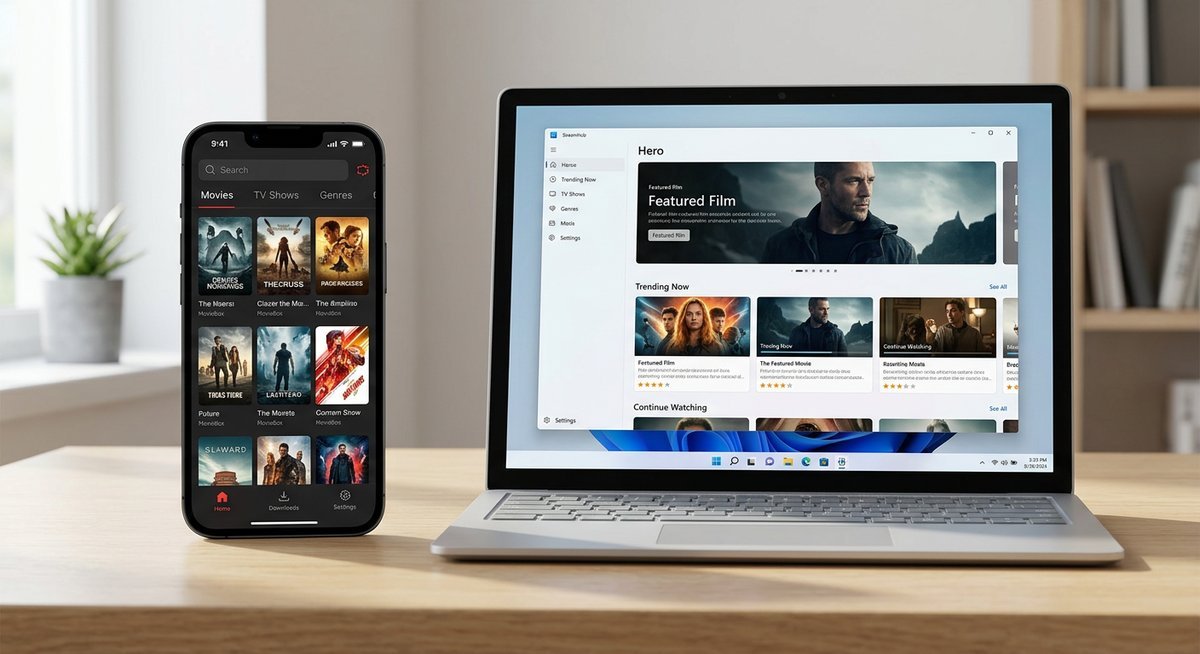
MovieBox was designed for touchscreens. There is no official desktop build, and the developers have shown no public interest in making one. The only PC option involves downloading an Android emulator, then sideloading the MovieBox APK — a process that eats RAM, complicates updates, and exposes your system to unvetted code.
The legal picture makes it worse. MovieBox has historically relied on unlicensed content, which means it operates in a gray area that can lead to sudden takedowns, broken links, and ISP warnings. Emulator dependency plus questionable sourcing adds up to a poor long-term solution for anyone who just wants to watch a movie on their laptop.
What to Look for in a MovieBox Alternative for PC
Not every free streaming app deserves a spot on your hard drive. The six picks below are evaluated against criteria that matter most for desktop users.
| Criteria | Why It Matters |
|---|---|
| Content library size | More titles mean fewer dead ends when browsing |
| Streaming quality (HD/4K) | PC monitors demand higher resolution than phone screens |
| Offline download capability | Essential for travel or spotty connections |
| Platform compatibility | Native Windows/Mac app vs. browser-only access |
| Free vs. paid tiers | Determines real cost and ad frequency |
| Legal standing | Protects against takedowns, malware, and ISP flags |
Legal standing carries extra weight here. Services backed by major media companies operate under proper licensing agreements, which means zero risk of sudden shutdowns or bundled malware. That single factor separates the reliable picks from everything else.
Top 6 Free Apps Like MovieBox for PC (Ranked & Reviewed)
Each of the six apps below works on a PC without an Android emulator. All are either fully legal or — in Kodi’s case — legal when configured with the right addons. The ranking weighs library size, user experience, and safety together.
1. Tubi — Best Free Legal Streaming App for Windows
Tubi is the most direct MovieBox replacement for anyone who values volume. Owned by Fox Corporation, it carries over 50,000 movies and TV episodes — all ad-supported, all licensed. No subscription, no credit card, no catch beyond a few minutes of ads per hour.
On PC, Tubi runs as a native Microsoft Store app on Windows 10 and 11, and it works in any browser on macOS. The interface is clean, search is fast, and the genre categories go surprisingly deep — horror fans, documentary bingers, and anime watchers all have dedicated sections. Streaming quality maxes out at 1080p HD.
The main weakness: no offline downloads whatsoever. Tubi is stream-only, which makes it a non-starter for anyone who needs to cache content for flights or unreliable Wi-Fi. For everything else, though, it is hard to beat on pure value.
- Platform: Windows 10/11 (native app + browser), Mac (browser)
- Content: 50,000+ titles
- Offline: Not available
- Legal status: Fully licensed (Fox Corporation)
2. Pluto TV — Best for Live TV Channels + On-Demand Movies
Pluto TV pulls off something no other free app on this list attempts: live television. It bundles 250+ free channels — news, sports, classic TV, genre-specific movie feeds — alongside a solid on-demand catalog, all owned and operated by Paramount Global.
The desktop experience works through any browser and a dedicated Windows app. Live channels run 24/7 with a cable-style guide that feels oddly nostalgic. The on-demand side carries a growing library of Paramount-licensed films and series in HD. No account is needed to start watching, though signing up unlocks a better recommendation engine and watchlist features.
Downsides mirror Tubi: no offline downloads, and the ad breaks on live channels can run longer than the on-demand side. Still, the live-plus-VOD combo gives Pluto TV a unique edge for users who miss the channel-surfing experience.
- Platform: Windows (native app + browser), Mac (browser)
- Content: 250+ live channels + on-demand library
- Offline: Not available
- Legal status: Fully licensed (Paramount Global)
3. Plex — Best for Offline Viewing and Local Media
Plex does double duty. On one side, it is a free ad-supported streaming service with thousands of licensed movies and TV shows. On the other, it is a personal media server that organizes and streams your own locally stored files across devices. No other app on this list combines both roles.
Native desktop apps for Windows and macOS are polished and responsive. The free streaming catalog is smaller than Tubi’s, but the offline download feature — available during a Plex Pass free trial and through the $4.99/month Plex Pass subscription afterward — makes it the only option here that lets you cache licensed content for offline playback on PC.
Setup takes a few extra minutes compared to opening a browser tab. You create an account, install the app, and optionally point it at local media folders. For users who already have a collection of downloaded films or ripped DVDs sitting on a hard drive, Plex turns that scattered pile into a Netflix-style interface with metadata, posters, and subtitle support.
- Platform: Windows and Mac (native apps)
- Content: Thousands of free titles + personal media library
- Offline: Yes (Plex Pass required after trial)
- Legal status: Fully licensed
4. Crackle — Best for Hollywood Movies Free on PC
Crackle leans into studio-quality content. Originally launched as Sony Crackle, the platform is now operated by Chicken Soup for the Soul Entertainment and still carries a strong catalog of Hollywood movies, classic TV series, and original productions. Titles from Sony Pictures, Lionsgate, and MGM show up regularly.
Access on PC is browser-based — no dedicated desktop app, but the web player works reliably on Chrome, Firefox, and Edge. Streaming quality reaches 1080p HD on most titles. An account is optional for basic browsing, though signing up unlocks personalized recommendations and a watchlist.
The library is noticeably smaller than Tubi or Pluto TV, and content rotates monthly, so a film available today might disappear next month. But the average quality per title skews higher than most free platforms — expect recognizable actors and theatrical releases rather than straight-to-streaming filler.
- Platform: Browser-based (all major browsers on Windows/Mac)
- Content: Hundreds of Hollywood films + originals
- Offline: Not available
- Legal status: Fully licensed (Sony Pictures catalog)
5. Popcornflix — Best Lightweight No-Sign-Up Option
Popcornflix strips away every barrier between you and a movie. No account. No sign-up form. No app to install. Open the website in any browser, pick a genre, and press play. For users who want the absolute lowest friction path to free streaming on PC, this is it.
The catalog covers action, comedy, horror, drama, documentaries, and a handful of foreign films. Library size sits below Tubi and Pluto TV but above Crackle for sheer breadth. Streaming quality varies — most titles land in SD or 720p, with some reaching full HD. The interface is basic and functional without being ugly.
The trade-off for simplicity is depth. Popcornflix does not offer live TV, offline downloads, or any personalization features. It is a straightforward “browse and watch” service, and for casual viewers who do not need bells and whistles, that is perfectly fine.
- Platform: Browser-based (any PC, no install needed)
- Content: Hundreds of titles across major genres
- Offline: Not available
- Legal status: Fully licensed
6. Kodi + Addons — Best Open-Source MovieBox-Style Experience
Kodi is the closest thing to MovieBox’s spirit on a PC — a free, open-source media center that can be extended with addons to stream movies, TV shows, live TV, and more. It runs natively on Windows, macOS, and Linux with full support for 4K playback, subtitle management, and extensive customization through skins and plugins.
Out of the box, Kodi is a local media player. The streaming capability comes from addons, and this is where caution matters. Official Kodi addons — available through the built-in repository — connect to legal, licensed sources. Third-party addons from unofficial repositories can access pirated content, which puts users in the same legal gray area as MovieBox itself.
For power users willing to spend time configuring it, Kodi delivers the most flexible experience on this list. It handles local files, network shares, IPTV streams, and podcast feeds alongside on-demand content. The learning curve is steeper than any other option here, but the ceiling is far higher.
- Platform: Windows, Mac, and Linux (native app)
- Content: Depends on installed addons + local files
- Offline: Full local file playback, up to 4K
- Legal status: Legal (official addons only — third-party addons may violate copyright)
Comparison Table — MovieBox Alternatives at a Glance
Each column targets a specific decision point: native PC support without an emulator, legal licensing, and offline availability. “Ad-supported” means completely free with ads — no credit card needed.
| App | Native PC App | Free Tier | Legal & Licensed | Offline Downloads | Max Quality | Sign-Up Required |
|---|---|---|---|---|---|---|
| Tubi | Windows 10/11 | Ad-supported | Yes (Fox) | No | HD | Optional |
| Pluto TV | Windows + Browser | Ad-supported | Yes (Paramount) | No | HD | Optional |
| Plex | Windows + Mac | Ad-supported + paid tier | Yes | Yes (Plex Pass) | HD | Required |
| Crackle | Browser only | Ad-supported | Yes (Sony) | No | HD | Optional |
| Popcornflix | Browser only | Ad-supported | Yes | No | SD/HD | None |
| Kodi | Windows + Mac + Linux | Free (open-source) | Addon-dependent | Local files only | 4K | None |
Tubi wins on library size and simplicity. Plex is the only option with genuine offline download support. Kodi offers the most flexibility but requires the most setup — and its legal standing hinges entirely on which addons you install.
Frequently Asked Questions
Is MovieBox available for Windows PC without an emulator?
No. MovieBox has never released an official Windows or Mac application. The only way to run it on PC is through an Android emulator like BlueStacks, which introduces performance overhead and security risks. Native alternatives like Tubi and Pluto TV offer a smoother, safer experience directly on Windows.
What is the best free movie streaming app for PC in 2024?
Tubi consistently ranks as the strongest free option for PC users. Its 50,000+ title library, native Windows app, and fully licensed content make it the most reliable choice. Pluto TV is a close second if live TV channels matter to you.
Can I watch movies offline with these MovieBox alternatives?
Plex is the only app on this list that supports offline downloads of licensed streaming content, though it requires a Plex Pass subscription ($4.99/month) after the free trial ends. Kodi supports offline playback of locally stored files but does not download streaming content for offline use. Tubi, Pluto TV, Crackle, and Popcornflix are stream-only.
Are these apps safe and legal to use?
Five of the six — Tubi, Pluto TV, Plex, Crackle, and Popcornflix — are fully licensed and legal. They operate under ad-supported models with proper content distribution agreements. Kodi itself is legal open-source software, but third-party addons from unofficial repositories can access pirated content, which is illegal in most jurisdictions.
Do any of these apps work on Mac?
Plex and Kodi both have native macOS applications. Tubi, Pluto TV, Crackle, and Popcornflix all work through any Mac browser — Safari, Chrome, or Firefox — without needing a dedicated app. Every option on this list is accessible on Mac one way or another.
How do I install Kodi on a Windows PC?
Download the official Windows installer from kodi.tv, run the setup wizard, and launch the app. The base installation handles local media playback immediately. For streaming, open Kodi’s built-in addon browser and install addons from the official repository only — this keeps your setup legal and malware-free.
Picking the Right MovieBox Alternative
The right pick depends on what you actually need. Tubi covers the widest ground for casual streaming with zero friction. Pluto TV adds live channels to the mix. Plex is the answer if offline downloads or local media management matter. Crackle punches above its weight on content quality. Popcornflix removes every sign-up barrier. And Kodi gives power users a fully customizable media center — provided they stick to legal addons.
All six run on PC without an Android emulator, and five of the six are fully licensed. That alone puts them ahead of MovieBox for desktop use. Pick one, try it for an evening, and see if it sticks — switching costs nothing when the apps are free.