




ChatFAI has emerged as a leading AI character chat platform since its 2023 launch, letting you converse with fictional personalities through text and voice. The Delaware-based service offers both free and premium tiers, with the free plan providing 500 messages monthly across 5 active conversations.
Getting started with ChatFAI requires minimal setup—create an account, browse the character library, and start chatting within minutes. Premium subscribers ($29/month and up) unlock voice chat, extended conversation limits, and advanced customization options that transform basic text exchanges into immersive character interactions.
Every essential feature follows below — from initial chatfai login procedures to enabling voice capabilities and leveraging API access through Composio integration. Both casual users and developers will find ChatFAI’s full feature set more accessible with clear step-by-step instructions.
Creating Your Account and Logging In
ChatFAI account creation takes under two minutes using either email registration or social login through existing Google, Facebook, or Discord credentials. Once you complete the chatfai login process, you gain immediate access to the character library and can start conversations without additional verification steps for basic free-tier usage.
To create your chatfai account:
- Navigate to chatfai.com and click “Sign Up” in the top-right corner
- Choose between email registration (requires password creation) or social login for one-click access
- Complete the brief profile setup (username selection and optional avatar upload)
- Accept terms of service to activate your account
Your chatfai profile becomes your identity across all character interactions. The platform stores conversation history and character preferences tied to your account, making consistent chatfai login habits essential for maintaining conversation continuity.
Social login eliminates password management but ties your chatfai account to third-party authentication. Email registration gives you direct control but requires remembering additional credentials—choose based on your security preferences and existing account ecosystem.
Finding and Starting Conversations
The chatfai search function indexes thousands of pre-built characters across categories including fictional personalities, historical figures, celebrity personas, and original creations from the community. Search operates through keyword matching, category filters, and trending character rankings that surface popular options based on recent engagement metrics.
To find and start chatting:
- Use the search bar at the top of your dashboard to enter character names, traits, or franchises
- Apply category filters (anime, movies, games, historical) to narrow results
- Click any character card to view their full profile, including personality description and sample conversations
- Select “Start Chat” to open a new conversation window
- Type your opening message and press Enter to begin the interaction
ChatFAI’s character memory system retains context from previous messages within the same conversation thread. The AI references earlier statements, creating continuity that improves with longer exchanges—a significant advantage over stateless chatbots.
Free-tier users manage 5 active conversations simultaneously. Once you hit this limit, you’ll need to archive older chats before starting new ones. Premium subscribers enjoy unlimited active conversations, plus priority response generation during peak usage periods.
How to Create Custom Characters
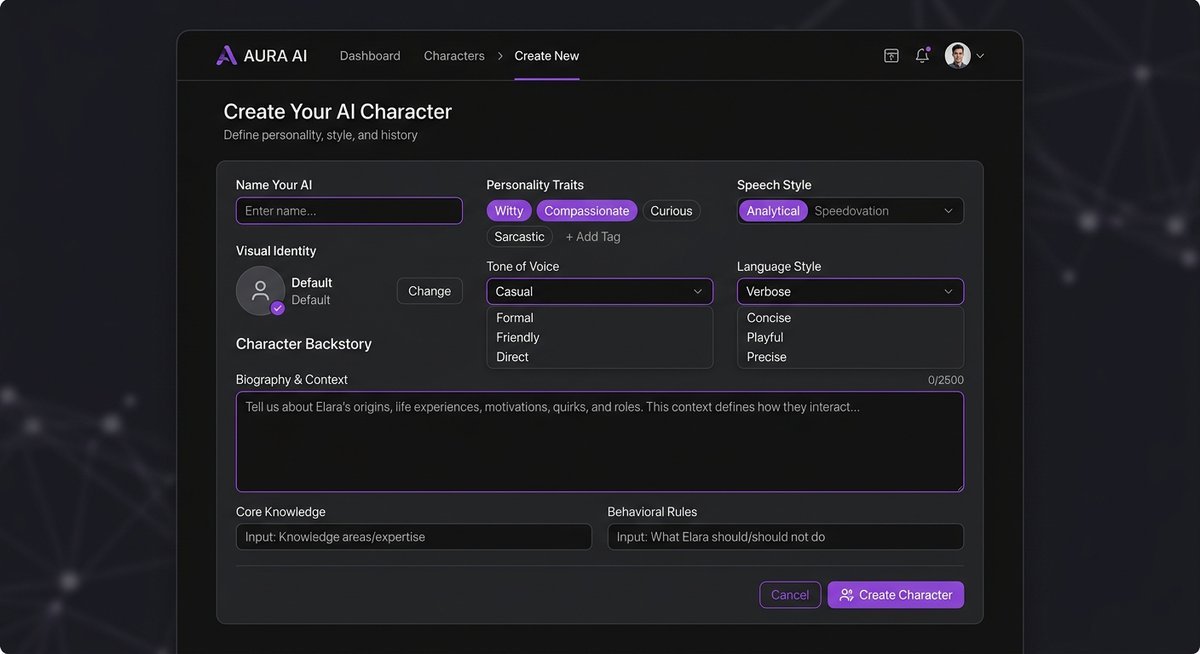
Custom character creation on ChatFAI transforms generic AI responses into distinctive personalities through detailed configuration of traits, speech patterns, backstory elements, and behavioral guidelines. The chatfai create system uses these parameters to fine-tune response generation, producing characters that maintain consistent voices across extended conversations.
Essential steps to chatfai create characters:
- Access the character creation tool through your dashboard’s “Create” button
- Define core personality traits (friendly, sarcastic, formal, playful) using the trait selector
- Specify speech style characteristics: vocabulary level, sentence structure preferences, catchphrases, and accent markers
- Write a background narrative (200-500 words recommended) covering origin story, motivations, and key relationships
- Set behavioral boundaries by listing topics the character avoids or emphasizes
- Upload a chatfai pfp (profile picture) to give your character visual identity
- Test the character in private conversations before publishing to the community
The background narrative carries the most weight in shaping responses. Characters with detailed backstories reference specific events and relationships naturally, while minimal backgrounds produce more generic dialogue that drifts from the intended personality.
Speech style configuration affects every response. A character defined as “Elizabethan formal” will consistently use period-appropriate language, whereas “modern Gen-Z casual” produces abbreviated text-speak and current slang. Browse existing characters for inspiration on effective personality configuration.
Privacy settings determine whether your creation appears in public chatfai search results. Private characters remain accessible only through direct links, useful for personal projects or commissioned characters not intended for wider audiences.
Enabling Voice Chat
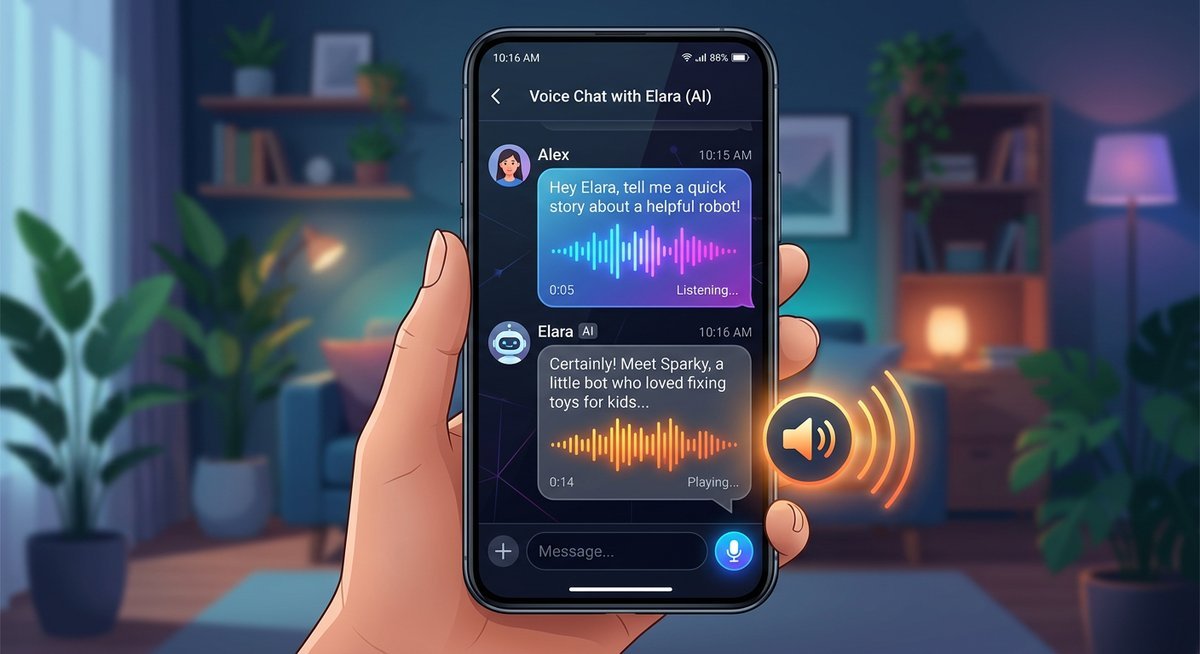
ChatFAI voice chat converts text-based AI responses into spoken audio using text-to-speech synthesis matched to character personalities. This Premium-tier feature ($29/month minimum) requires no additional downloads—activation happens through a simple toggle within the conversation interface once your subscription processes.
How to enable chatfai voice features:
- Upgrade to Premium tier through Account Settings → Subscription
- Wait for subscription confirmation (typically 1-2 minutes after payment)
- Open any active conversation
- Locate the voice toggle icon (speaker symbol) in the top-right corner of the chat window
- Click to enable voice output for all subsequent AI responses
- Optional: activate voice input by clicking the microphone icon in the message box
Voice output quality varies by character configuration. Characters with defined accents or speech patterns receive appropriately modified voice synthesis, while default characters use standard text-to-speech voices.
The chatfai how to enable voice process persists per conversation. Each chat thread maintains its own voice toggle state, so enabling voice in one conversation doesn’t automatically activate it in others—useful when mixing voice and text-only chats simultaneously.
Browser permissions for microphone access are required only if you plan to use voice input. Voice output works without additional permissions since it plays audio directly through your device’s speakers or headphones.
Advanced Features — Groups, API, and Profile Setup
| Feature | Free | Basic ($9) | Premium ($29) | Deluxe ($59) |
|---|---|---|---|---|
| Group Conversations | No | No | Yes | Yes |
| API Access (Composio) | No | No | No | Yes |
| Voice Chat | No | No | Yes | Yes |
| Custom Profile/PFP | Yes | Yes | Yes | Yes |
| Character Creation | Unlimited | Unlimited | Unlimited | Unlimited |
| Active Conversations | 5 | 20 | Unlimited | Unlimited |
ChatFAI extends beyond one-on-one conversations through chatfai group chat functionality, API token generation for developer integration, and comprehensive chatfai profile customization that personalizes your platform experience. These advanced tools cater to power users building complex interaction scenarios or integrating ChatFAI capabilities into external applications.
Group Conversations
Group chat mode places multiple AI characters in a single conversation thread where they respond to your messages and interact with each other’s statements. Create groups through the dashboard’s “New Group” option by selecting 2-5 characters from your available roster.
Characters in groups maintain individual personalities while reacting to other participants. A group containing both a detective and a suspect will generate interrogation dynamics naturally, with each character responding according to their defined traits and the evolving conversation context.
API Access Through Composio
ChatFAI provides chatfai api token generation through Composio integration, enabling developers to embed character conversations in external applications, websites, or automated workflows. Access token management lives in Account Settings → Developer Tools.
To generate your chatfai api token:
- Navigate to Account Settings → Developer Tools
- Click “Generate New Token”
- Name the token based on its intended use case (helps manage multiple tokens)
- Copy the token immediately—it displays only once for security
- Reference Composio documentation for implementation details and endpoint specifications
API access follows the same tier restrictions as web usage. Free accounts receive 500 API calls monthly, while Premium subscriptions unlock higher rate limits and priority processing for programmatic requests.
Profile Customization
Your chatfai profile configuration affects how the platform presents information and stores preferences. Profile settings include display name, bio, avatar upload (your personal chatfai pfp separate from character images), notification preferences, and default conversation settings.
Privacy controls within profile settings determine whether your created characters appear in public searches and if other users can view your profile activity. Stricter privacy settings hide your presence entirely, converting your account into a private sandbox for personal character experimentation.
Managing Your Account — Tips and Deletion
Effective ChatFAI usage requires managing conversation limits, optimizing character interactions, and understanding account deletion procedures. These chatfai tips help you maximize free-tier allowances or extract full value from Premium subscriptions while maintaining control over your data and presence on the platform.
ChatFAI Tips for Better Conversations
Stay within context windows: Characters remember approximately the last 20-30 messages in detail. Long conversations may lose early context, requiring periodic summaries to maintain coherence.
Front-load important information: Place crucial character details and scenario setup in your first 2-3 messages. This anchors the AI’s understanding before conversation drift occurs.
Use conversation starters strategically: Specific, scenario-based openings (“You’re investigating a crime scene when you notice…”) produce more engaging responses than generic greetings.
Archive unused conversations: Free-tier users should regularly archive completed chats to free active conversation slots without losing message history.
Test characters privately first: When creating custom characters, run several test conversations in private mode to refine personality parameters before publishing.
How to Delete Your ChatFAI Account
Account deletion on ChatFAI is permanent and removes all conversation history, created characters, and profile data from the platform’s servers within 30 days of request submission.
To chatfai delete account:
- Log in and navigate to Account Settings
- Scroll to the bottom of settings and click “Delete Account”
- Confirm deletion by entering your password
- Review the warning about permanent data loss
- Click “Permanently Delete Account” to submit the request
Active Premium subscriptions require cancellation before account deletion processes. Cancel through the Subscription section, wait for the billing period to end, then proceed with account deletion to avoid partial refund complications.
Frequently Asked Questions
How do I change my ChatFAI pfp?
Navigate to your chatfai profile through the account menu, click the existing avatar or “Change Profile Picture” button, and upload a new image (JPG or PNG, 5MB maximum). The new chatfai pfp appears across all your conversations and created character attribution within seconds of upload. This differs from character profile pictures, which are set individually during character creation or editing.
Can I use ChatFAI voice chat on mobile devices?
Yes, chatfai voice functionality works on both iOS and Android through mobile browsers (Safari, Chrome) without requiring app downloads. Voice output plays through your device speakers or connected headphones automatically. Voice input requires granting microphone permissions through browser settings when first enabling the feature.
Does ChatFAI have a Discord bot?
ChatFAI offers Discord bot integration that brings character conversations into your Discord servers. Add the bot through the ChatFAI website’s Integration section, select which characters to enable, and configure command prefixes. The bot uses your account’s message allocation, so free users share their 500 monthly messages between web and Discord usage.
How many characters can I create on the free tier?
Free ChatFAI accounts support unlimited character creation. The 5-conversation limit restricts active simultaneous chats, not your character library size. Create as many characters as desired, test them privately, and publish to the community without tier restrictions—Premium benefits focus on conversation capacity and voice features rather than creation limits.