



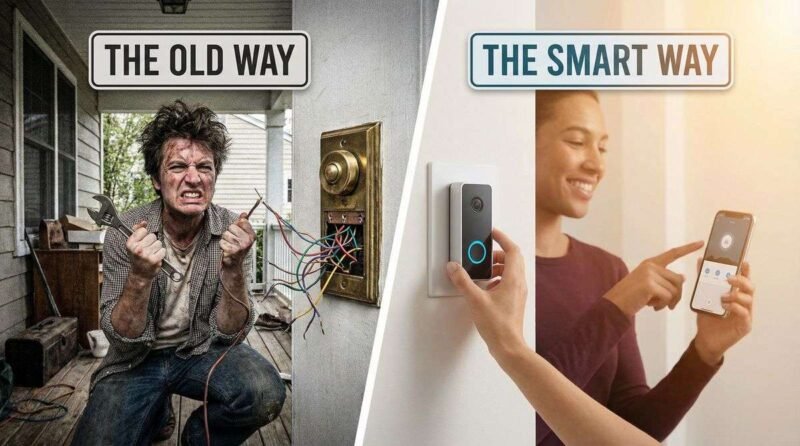
Not every home has a doorbell wire running to the front door. Older homes, apartments, and rental properties often lack the low-voltage wiring that traditional doorbells require — and that most smart doorbell installation guides assume is already there. The good news: battery-powered smart doorbells have matured significantly, and installing one without any existing wiring is now a straightforward afternoon project.
This guide covers everything needed to install a smart doorbell without existing wiring: choosing the right battery-powered model, mounting options for different door frame materials, Wi-Fi range considerations, and the one setup step that most installation guides skip entirely.
1. Choosing the Right Battery-Powered Smart Doorbell
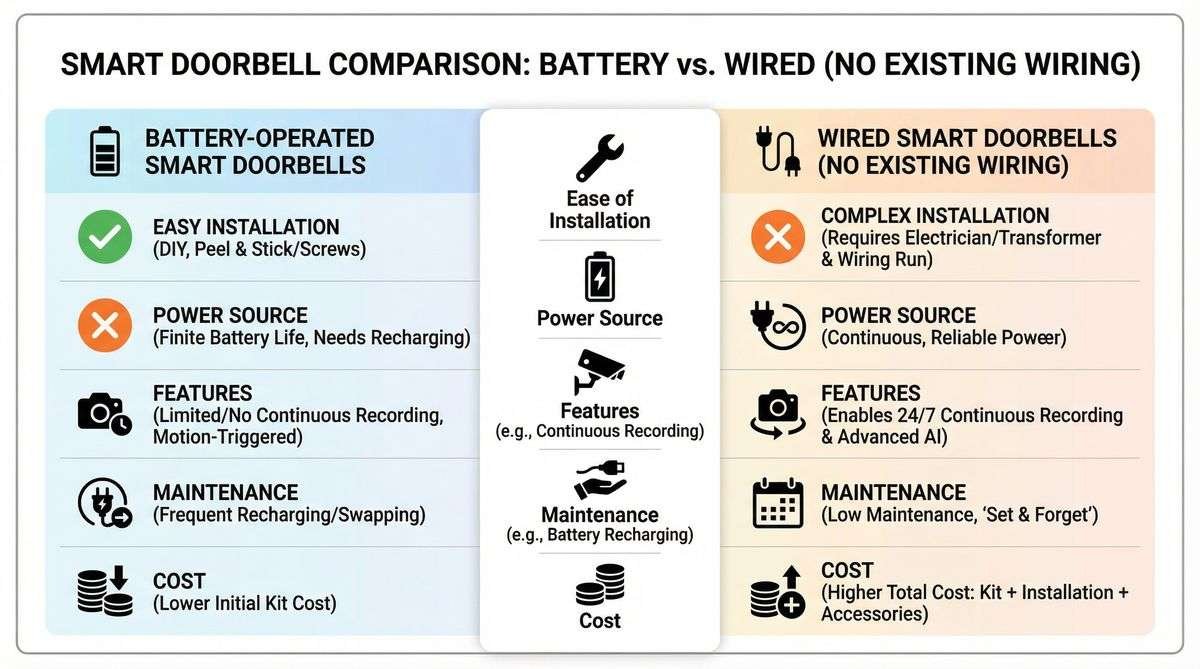
Answer Capsule: The best battery-powered smart doorbells for homes without existing wiring include the Ring Video Doorbell (4th gen), Arlo Essential Video Doorbell Wire-Free, and Eufy Security Video Doorbell 2K. Key selection criteria are battery life (3–6 months per charge), video resolution (1080p minimum), and compatibility with existing smart home ecosystems.
Battery life is the most practical consideration for a no-wiring installation. Frequent motion alerts drain batteries faster — a doorbell in a high-traffic area may need charging every 4–6 weeks, while one in a quieter location may last 3–6 months per charge. Models with adjustable motion sensitivity zones help extend battery life by reducing unnecessary recordings.
| Model | Resolution | Battery Life | Smart Home | Price Range |
|---|---|---|---|---|
| Ring Video Doorbell (4th gen) | 1080p HDR | 6–12 months | Alexa | $100–$130 |
| Arlo Essential Wire-Free | 1536p | 3–6 months | Alexa, Google | $150–$180 |
| Eufy Security 2K | 2K (2560×1920) | 6 months | Alexa, Google | $100–$130 |
| Google Nest Doorbell (battery) | 960×1280 | 1–6 months | Google Home | $180–$200 |
2. Tools and Materials Needed
Answer Capsule: Installing a battery-powered smart doorbell requires a drill with appropriate bits (masonry bit for brick or stucco, standard bit for wood), a screwdriver, a level, and the mounting hardware included with the doorbell. No electrical tools, voltage testers, or wiring knowledge are required.
Most battery-powered doorbells include a mounting bracket, screws, and wall anchors. For wood door frames, the included screws typically drive directly without pre-drilling. For brick, stucco, or concrete surfaces, a masonry drill bit and plastic wall anchors are essential — attempting to drive screws into masonry without anchors will result in a loose, unreliable mount.
A wedge mount kit is worth purchasing separately if the door frame is angled. Many front door frames are not perfectly perpendicular to the street, which means the doorbell camera would point slightly away from the path. A wedge mount corrects this angle, ensuring the camera captures the full approach to the door.
3. Step-by-Step Installation Process
Answer Capsule: Installation takes 20–30 minutes. The process involves: charging the battery fully, downloading the companion app and creating an account, mounting the bracket at the correct height (approximately 48 inches from the ground), attaching the doorbell unit, and completing Wi-Fi setup through the app. The Wi-Fi signal strength at the door location should be tested before mounting.
Step one is always a full battery charge before installation — starting with a depleted battery leads to a setup interruption mid-process. Most doorbells charge via USB-C and reach full charge in 4–6 hours.
Step two is the Wi-Fi test. Before drilling any holes, open the doorbell app and use its Wi-Fi signal checker (most brands include this in the setup flow) to confirm adequate signal strength at the door location. A weak signal at the front door is the most common cause of connectivity problems after installation. If the signal is poor, a Wi-Fi extender or mesh network node positioned near the front of the home resolves the issue before it becomes a problem.
4. Getting Notifications Without a Wired Chime
Answer Capsule: Without existing doorbell wiring, there is no wired indoor chime. Alternatives include: plug-in chime units (sold separately by Ring, Eufy, and others for $20–$35), smart speaker announcements via Alexa or Google Home, and smartphone push notifications. Most households find a combination of a plug-in chime and smartphone alerts sufficient.
A plug-in chime unit is the simplest solution for households that want an audible indoor alert. These units plug into a standard wall outlet and connect to the doorbell via Wi-Fi. They are typically sold separately from the doorbell itself and cost $20–$35. Placement near the kitchen or main living area ensures the chime is heard throughout the home.
For smart home users, routing doorbell press notifications through an existing smart speaker (Amazon Echo, Google Nest) eliminates the need for a separate chime entirely. The speaker announces “Someone is at the front door” — a more informative alert than a traditional chime tone.
5. Installation Considerations for Renters
Answer Capsule: Battery-powered smart doorbells are ideal for renters because they require minimal wall modification. Using the smallest possible drill bit for anchors and filling the holes with white spackle upon move-out leaves no visible damage. Some models offer no-drill adhesive mounting plates for temporary installations, though these are less secure than screwed mounts.
No-drill adhesive mounting plates use heavy-duty outdoor adhesive tape and are suitable for smooth door frames. They are not recommended for brick, stucco, or textured surfaces where adhesion is unreliable. For renters in apartments with smooth door frames, adhesive mounting is a practical option that leaves zero wall damage.
Frequently Asked Questions
Can a smart doorbell work without any indoor chime?
Yes. Smartphone push notifications alone are sufficient for many households. The doorbell app sends an instant notification with a live video preview when the button is pressed or motion is detected. For households that prefer an audible alert inside the home, a plug-in Wi-Fi chime or smart speaker announcement provides this without any wiring.
How long does the battery last on a wireless smart doorbell?
Battery life varies significantly based on usage. In low-traffic areas with motion sensitivity set to medium, most battery-powered doorbells last 3–6 months per charge. In high-traffic areas with frequent motion alerts, battery life may drop to 4–6 weeks. Enabling pre-roll recording and HDR video also increases battery drain.
Are battery-powered smart doorbells as secure as wired ones?
In terms of video quality, cloud storage, and alert functionality, battery-powered models are equivalent to wired versions from the same manufacturer. The only functional difference is that a wired doorbell continues recording during a power outage (via battery backup), while a battery-powered unit relies entirely on its internal battery. Both types use encrypted cloud storage and two-factor authentication.
Conclusion
Installing a smart doorbell without existing wiring is one of the most accessible smart home upgrades available. Battery-powered models have closed the gap with wired versions in video quality and reliability, and the installation process requires no electrical knowledge — just a drill, a level, and 30 minutes.
The keys to a successful installation are testing Wi-Fi signal strength before mounting, using the correct anchors for the door frame material, and setting up a notification method that works for the household’s daily routine. Done right, a battery-powered smart doorbell delivers the same security and convenience as a wired system, with none of the installation complexity.
References
- Ring. “Ring Video Doorbell Installation Guide.” 2025.
- Eufy Security. “Video Doorbell 2K Battery Installation Manual.” 2025.
- Consumer Reports. “Best Smart Doorbells of 2025.” Updated 2025.
- CNET. “Best Video Doorbells for 2026.” Updated January 2026.