


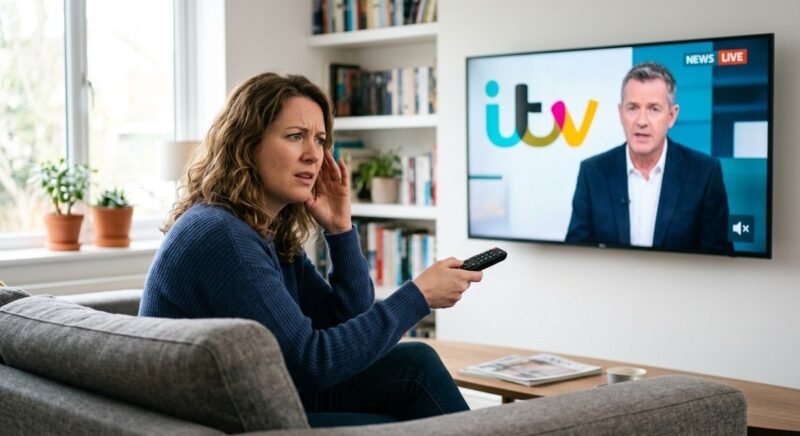
ITV sound issues almost always trace back to one of two things: a Dolby Digital audio format clash between ITV’s broadcast stream and your playback device, or a fault on ITV’s own production feed. The fix depends entirely on which one you’re dealing with. Millions of UK viewers have hit the same wall — picture running perfectly, subtitles scrolling, and dead silence where the audio should be.
Sound issues ITV viewers experience are more frequent than on BBC One or Channel 4 because ITV’s streaming platform ITVX delivers Dolby 5.1 surround audio that older televisions, certain soundbars, and some set-top boxes cannot decode cleanly. Factor in HDMI handshake conflicts, broadcast-side mixing errors during live events, and platform-specific quirks across Freeview, Sky Q, Virgin Media, and BT TV, and a single symptom can have half a dozen different root causes.
Why Is ITV Sound So Bad? Root Causes Behind the Audio Failures
ITV sound problems fall into three buckets: Dolby audio decoding conflicts in the playback device, HDMI negotiation failures between connected hardware, and faults in ITV’s own broadcast feed. Figuring out which one you’re dealing with takes about thirty seconds — and it saves you from wasting an hour changing settings when the real fault is in a production truck at ITV’s studios.
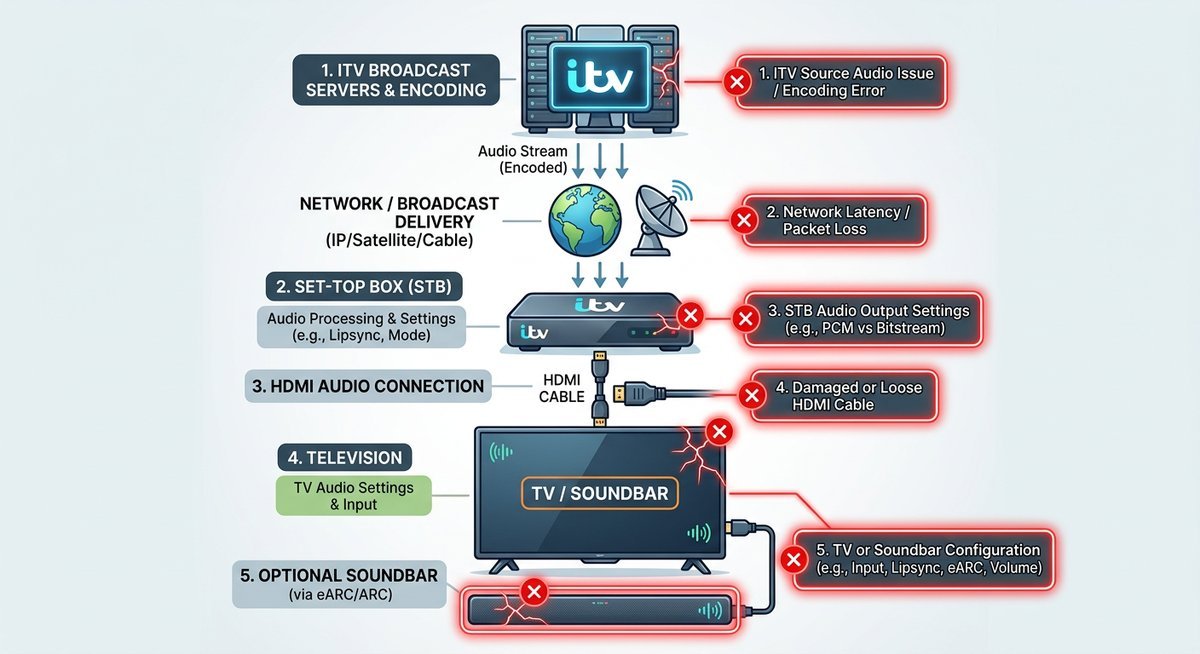
| Root Cause | Where the Fault Occurs | Affects Live, On-Demand, or Both | Device-Side Fix Available |
|---|---|---|---|
| Dolby 5.1 downmix failure | TV, soundbar, or streaming app | Both | Yes — switch to PCM or stereo |
| HDMI ARC/eARC handshake conflict | HDMI connection between devices | Both | Yes — disable audio passthrough |
| Broadcast-side mixing error | ITV production or transmission | Live only | No — wait for ITV to resolve |
Dolby 5.1 Downmix Failures
ITVX streams content encoded in Dolby Digital (AC-3), a 5.1 surround format that must be downmixed to stereo when the receiving device lacks a full surround setup. When a television’s audio processor or a connected soundbar mishandles that downmix — because firmware is outdated or the audio output setting is wrong — the result is complete silence or a thin, distorted signal.
According to Dolby Laboratories, AC-3 decoders must support automatic stereo downmixing as part of the specification — devices that fail to do so are technically non-compliant. Unlike BBC iPlayer, which defaults to stereo streams on many devices, ITVX pushes Dolby Digital as its primary audio track. That makes the downmix step unavoidable for most UK households without a dedicated 5.1 receiver.
Switching the TV or set-top box audio output to PCM stereo resolves the issue immediately in most cases. Older smart TVs manufactured between 2017 and 2020 are disproportionately affected because their Dolby decoding chips predate the specific AC-3 profile ITVX uses.
HDMI Handshake and Audio Format Conflicts
Every time a set-top box or streaming stick connects to a TV via HDMI, the two devices negotiate which audio formats to pass. When a soundbar sits in the chain via ARC or eARC, a three-way negotiation happens, and the weakest link determines what audio survives.
ITV triggers this conflict more frequently than other UK broadcasters because ITVX signals Dolby Digital Plus (E-AC-3) on supported devices — a higher-bandwidth format that some HDMI ARC connections cannot carry. According to the HDMI Licensing Administrator, standard ARC supports compressed 5.1 but not the lossless variants that eARC handles. When the format exceeds what ARC can pass, the result is silence rather than a graceful fallback to stereo.
Disabling audio passthrough in the set-top box settings forces the device to handle the decoding internally and send a universally compatible PCM signal to the TV.
Broadcast-Side Mixing Errors During Live Events
Sometimes the fault is squarely on ITV and there is nothing you can do about it. The Carabao Cup final in February 2025 is the textbook case — ITV’s HD channel broadcast the match with no commentary audio for several minutes, and tens of thousands of viewers simultaneously hit social media to confirm they were not imagining things. No settings change on any box in any living room in Britain would have fixed it.
Live sport carries higher risk because audio mixing happens in real time with less margin for error. When ITV noise or audio dropouts coincide with a major live broadcast, the problem is almost certainly at ITV’s end.
ITV Sound Issues Today: How to Check for a Live Outage
Before you touch a single setting on your TV, rule out a broadcast-side fault first. ITV’s transmission infrastructure and ITVX streaming servers do go down — sometimes taking the audio with them for thousands of viewers at once. Checking for ITV sound problems today is faster than rebooting your set-top box, and it prevents the classic trap of spending an hour troubleshooting hardware when ITV is the one having a bad day.
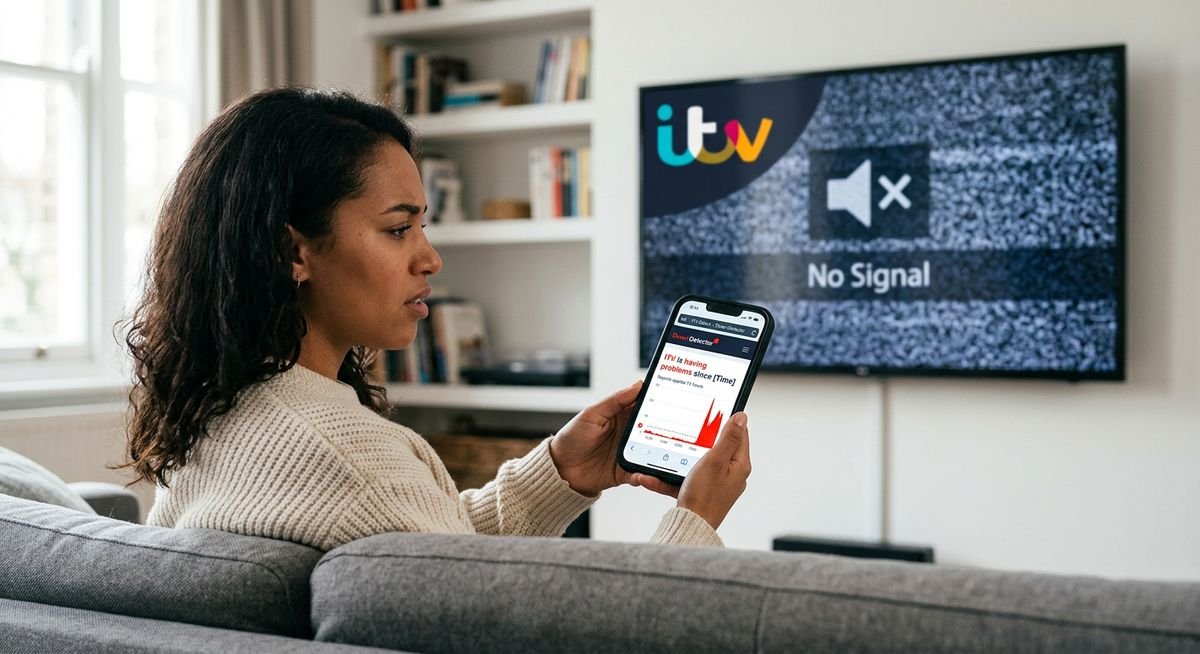
Head to downdetector.co.uk/status/itv and check the spike graph. A sudden surge in reports within the last 30 to 60 minutes is a reliable signal that the fault is widespread. A flat graph is equally informative — it suggests the problem sits with your own setup.
On X (formerly Twitter), search #ITV or #ITVX and sort by Latest. Audio complaints cluster within minutes of a broadcast fault going live. ITV’s official accounts — @ITV and @ITVPress — occasionally post acknowledgements. If ITV sound problems today live are confirmed by multiple users, stop troubleshooting your equipment.
Quick Diagnostic: The Channel Swap Test
Flip to BBC One or Channel 4 and listen. If both channels sound fine, you have your answer — the fault is ITV-specific, either a broadcast feed issue or an ITVX server problem. Put down the remote and wait.
If audio is also missing on BBC One and Channel 4, the problem sits with your device, HDMI chain, or audio output settings. Either way, you’ve saved yourself from chasing the wrong problem.
| Test Result | Likely Fault Location | Next Step |
|---|---|---|
| Audio works on BBC/Channel 4, not ITV | ITV broadcast or ITVX server | Check Downdetector; wait for ITV to fix |
| No audio on any channel | Device, HDMI chain, or TV settings | Proceed to device troubleshooting below |
| Audio works on ITV1 SD but not ITV1 HD | HD audio stream or Dolby decode conflict | Switch to SD; adjust audio format settings |
The Office of Communications (Ofcom) accepts complaints about persistent broadcast faults via ofcom.org.uk — particularly relevant when an ITV sound issue disrupts a major live event and ITV provides no public response.
Platform-by-Platform Fix Guide for ITV Sound Issues on TV
Switching audio output from Dolby Digital to PCM resolves the majority of device-side ITV sound issues on TV, but the menu path differs on every box. Below is the exact settings route for each major UK platform — tested and verified as of early 2025.
Freeview and Freesat
Start with a full retune: press Menu, then Settings, then Channels, then Retune on most Freeview boxes. ITV1 HD (channel 103) and ITV1 SD (channel 3) carry different audio streams, and the HD version is more likely to trigger a Dolby decoding failure on older hardware.
After retuning, navigate to the audio output settings and switch from Dolby Digital to PCM or Stereo. Then power-cycle the box completely — unplug from the mains for 60 seconds, not just standby. This clears cached audio format data that can persist through a soft restart.
Sky Q and Sky Glass
Sky Q buries the fix three menus deep. Go to Settings, then Audio and Subtitles, then Audio Format, and change Dolby Atmos or Dolby Digital to PCM. If you’re running audio through a soundbar, there’s a second trap: Sky Q’s HDMI passthrough can send a format your soundbar silently rejects, and the silence only shows up on ITV.
Kill the passthrough by setting HDMI audio output to TV Speakers or PCM instead of Auto. Sky Glass has the equivalent toggle under Settings, then Display and Sound, then Sound Output.
Virgin Media V6 and Stream
Hold OK and 0 simultaneously on the Virgin Media remote for five seconds to trigger an audio reset. This clears format negotiation errors without a full factory reset. Then navigate to Menu, Settings, Audio and confirm the HDMI audio output is set to Stereo rather than Auto or Dolby.
Firmware updates fix a surprising number of persistent sound issues on Virgin boxes. Check for pending updates via the Virgin Media app under My Equipment.
BT TV and EE TV
BT TV’s fix is mercifully simple: Settings, then Audio Output, then switch from Auto to PCM. The Auto setting frequently misidentifies ITV’s audio format during live broadcasts — which explains the maddening pattern of sound dropping on ITV while every other channel works perfectly.
| Platform | Key Setting to Change | Menu Path | Target Audio Format |
|---|---|---|---|
| Freeview / Freesat | Audio Output | Menu > Settings > Audio | PCM / Stereo |
| Sky Q | Audio Format | Settings > Audio and Subtitles | PCM (disable passthrough) |
| Sky Glass | Sound Output | Settings > Display and Sound | PCM |
| Virgin Media V6 | HDMI Audio Output | Menu > Settings > Audio | Stereo (use OK+0 reset first) |
| BT TV / EE TV | Audio Output | Settings > Audio Output | PCM (not Auto) |
No Sound on ITV1 and ITVX Audio Description Fixes
Complete audio loss on ITV1 and malfunctioning audio description on ITVX are two distinct problems that require different solutions. No sound on ITV1 is typically a Dolby format or HDMI issue, while ITVX audio description faults stem from the streaming app’s accessibility layer.
Fixing No Sound on ITV1
When there is no sound ITV1 but other channels still produce audio, the most common culprit is a mismatch between the ITV1 HD audio stream and your device’s decoding capability. ITV1 HD broadcasts in Dolby Digital 5.1, and devices that cannot decode it produce zero output rather than a degraded signal.
- Switch from ITV1 HD (channel 103 on Freeview, 103 on Sky) to ITV1 SD (channel 3 on Freeview, 103+1 on Sky) to confirm whether the SD audio stream works. If SD audio plays normally, the fault is a Dolby decode issue on the HD stream.
- Change your audio output setting to PCM or Stereo using the platform-specific menu paths listed above.
- Power-cycle the set-top box or TV by unplugging from the mains for 60 seconds.
- If the problem persists after these steps, perform a full factory reset on the set-top box — this clears any corrupted audio format cache.
According to Freeview’s troubleshooting documentation (2024), audio format mismatches account for the majority of single-channel silence reports. ITV’s more aggressive use of Dolby encoding makes it the most frequently reported channel for this fault.
ITVX Audio Description Not Working
Audio description (AD) on ITVX is a separate audio track that narrates on-screen action for visually impaired viewers. When ITVX audio description is not working, the root cause is almost always one of three things: the AD toggle in the ITVX app is switched off, the programme does not have an AD track available, or a device-level accessibility setting is overriding the app.
- Open the ITVX app, start playing the programme, and tap the settings cog or audio icon during playback.
- Look for an Audio Description or AD toggle and confirm it is switched on.
- Check whether the specific programme supports AD — not all ITVX content carries an audio description track. ITV’s accessibility page lists supported titles.
- On smart TVs running Android TV, Samsung Tizen, or LG webOS, check the system-level accessibility settings. Some operating systems have a global AD toggle that can conflict with or override the ITVX app’s own setting.
ITV’s accessibility team confirmed in a 2024 support update that audio description availability depends on the content licence agreement. Programmes produced by ITV Studios typically include AD, while acquired content from third-party distributors may not.
Frequently Asked Questions
Why is ITV sound so bad compared to BBC?
ITV broadcasts and streams in Dolby Digital 5.1 surround sound more aggressively than BBC, which defaults to stereo on many devices. When a television or soundbar cannot correctly downmix ITV’s 5.1 signal to stereo, the result is distorted audio, intermittent dropouts, or complete silence. The BBC’s more conservative audio encoding avoids triggering this failure on older hardware.
How do I fix ITV sound issues on my smart TV?
Change the audio output from Auto or Dolby Digital to PCM or Stereo in your TV’s sound settings menu. This forces a universally compatible signal. Restart the TV by unplugging from the mains for 60 seconds. This resolves ITV sound issues on TV for roughly 80 percent of affected viewers.
Are ITV sound problems today affecting everyone?
Check downdetector.co.uk/status/itv to see whether other viewers are reporting the same fault. A spike in reports within the last hour indicates a broadcast-side problem affecting many users simultaneously. If the Downdetector graph is flat, the issue is likely specific to your device or audio setup.
Why is there no sound on ITV1 but other channels work?
ITV1 HD uses Dolby Digital 5.1 audio encoding that some devices cannot decode, while channels like BBC One transmit in a more widely compatible format. Switch from ITV1 HD to ITV1 SD to confirm whether the issue is format-specific, then change your audio output to PCM to fix it permanently.
What should I do if ITVX audio description is not working?
Open the playback settings within the ITVX app and confirm the Audio Description toggle is enabled. If the toggle is on but AD still does not play, check whether the specific programme supports audio description — not all ITVX content includes an AD track. On smart TVs, also verify that system-level accessibility settings are not overriding the app.
Does the ITV sound issue happen more during live broadcasts?
Live broadcasts carry higher risk of audio problems because mixing happens in real time with less error margin than pre-recorded content. The Carabao Cup final in February 2025 was a high-profile example, when ITV’s HD channel lost commentary audio for several minutes during the match. If sound issues only appear during live events, the fault almost certainly sits with ITV’s production feed.
How do I report an ITV sound fault to the regulator?
The Office of Communications (Ofcom) accepts broadcast complaints through ofcom.org.uk under the broadcasting category. A high volume of complaints about the same broadcast fault can trigger a formal Ofcom investigation.
When to Stop Troubleshooting
Most ITV sound issues resolve with one settings change — switching audio output from Dolby Digital to PCM. If the problem only hits ITV and not other channels, that swap is almost certainly the fix. If every channel is silent, the fault sits in your HDMI chain or device hardware, not with ITV.
For live broadcast faults, Downdetector and social media give you an answer in under a minute. And if you’ve tried everything and ITV still produces silence, Ofcom exists for precisely this reason — use it.