




A Trade Republic error 403 blocks platform access but does not affect your funds, portfolio, or pending orders. The HTTP 403 status code is strictly a permission denial — Trade Republic’s servers received your request and refused it, which is fundamentally different from a crash or a lost connection.
The real question is whether the block comes from your side or Trade Republic’s side. User-side causes — a VPN routing traffic through an unsupported country, stale browser cache, or an expired session token — typically resolve in under two minutes. Trade Republic-side causes — a KYC verification hold, account restriction, or platform outage — require a completely different response, and no amount of cache-clearing will help.
Getting that diagnosis right before you start troubleshooting is the difference between a two-minute fix and an hour of wasted effort.
What Does Error 403 Mean on Trade Republic?
A Trade Republic error 403 means the platform’s server received your request, understood it perfectly, and then refused to fulfill it — a server-side permission error, not a broken page or a lost connection. Your funds are untouched. The problem is access, not data. According to Mozilla’s HTTP documentation, the 403 Forbidden status code specifically indicates that the server understood the request but refuses to authorize it — distinguishing it clearly from authentication failures (401) and missing resources (404). The Trade Republic website 403 and the Trade Republic app 403 are the same underlying error — the HTTP 403 code works identically regardless of whether you access the platform through a browser or the mobile app.
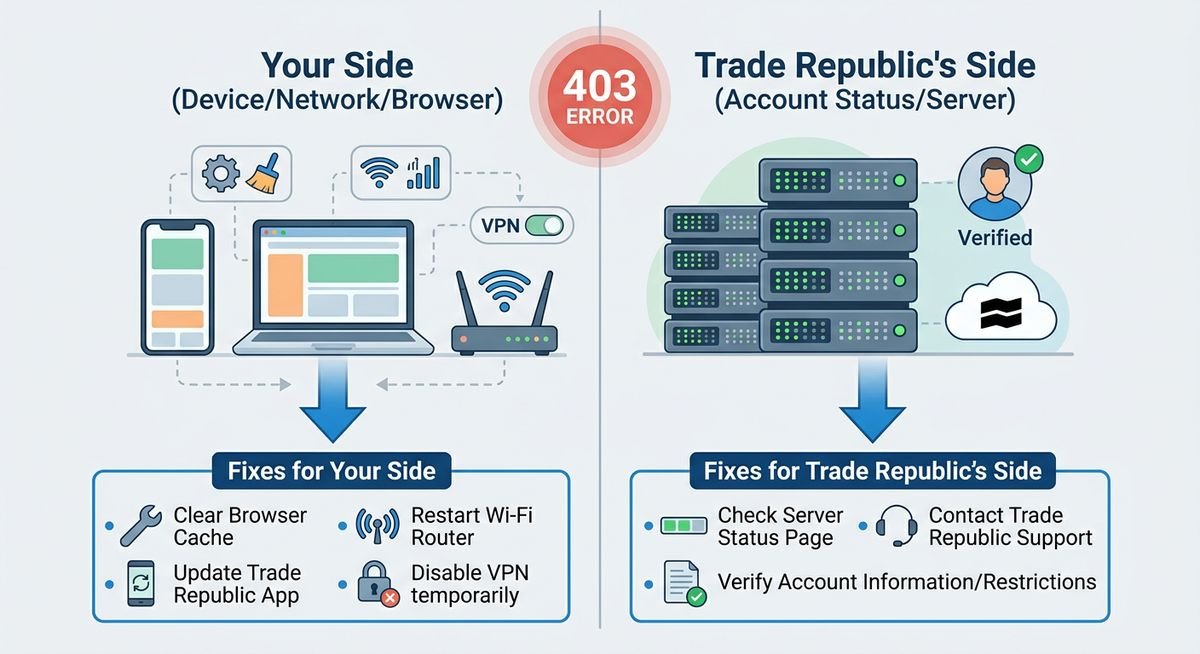
The HTTP 403 status code explained simply
The HTTP 403 status code is the server’s way of saying “I see you, but you’re not getting in.” Think of it as a bouncer who makes eye contact, checks the list, and still turns you away — the door exists, the bouncer is working, but entry is denied. This is fundamentally different from a 404 (the page doesn’t exist) or a 500 (the server itself has crashed).
| HTTP Code | Meaning | Trade Republic Example |
|---|---|---|
| 403 Forbidden | Server refused the request | Blocked login, restricted account access |
| 404 Not Found | Resource doesn’t exist | Broken or removed page URL |
| 500 Server Error | Server crashed or failed | Full platform outage |
Why Trade Republic surfaces 403 differently than a normal website
Trade Republic operates as an API-driven brokerage platform, not a static website — and that distinction matters enormously when diagnosing this error. On a standard website, a 403 almost always means a misconfigured file permission. On Trade Republic, the same error code fires for wildly different reasons: an expired session token, an account-level restriction, an incomplete KYC (Know Your Customer) verification flag, or a regional geo-block enforced under Trade Republic’s EU operating licence.
All four causes produce an identical 403 message on screen, which is why generic web-troubleshooting advice fails Trade Republic users. A structured triage — distinguishing your side from Trade Republic’s side — is the only reliable path to a fix.
Is It Your Side or Trade Republic’s Side? Diagnose First
Before attempting any fix, run this two-minute triage to identify whether the Trade Republic error 403 originates on your device or on Trade Republic’s servers. The single most common mistake Trade Republic users make is clearing their cache and reinstalling the app when the real problem is a server-side account restriction — a client-side fix that will never resolve a server-side permission error, no matter how many times it is attempted.
Quick checks that point to a user-side problem
Several telltale signals point to the HTTP 403 originating on your end, not Trade Republic’s. If even one of these matches your situation, start with the user-side fixes before contacting support.
- The error appears on one device or browser but not another. If a colleague or family member on the same account can log in fine, the block is local to your setup.
- A VPN or proxy is active. Trade Republic enforces EU-jurisdiction geo-restrictions; traffic routed through a non-supported country returns an access denied brokerage app response instantly.
- Your browser is carrying stale cookies or cached session data from a previous Trade Republic login — particularly common after a browser update or OS upgrade.
- The error appeared immediately after a long period of inactivity. Session tokens on brokerage platforms typically expire after 30–60 minutes of idle time; a stale token triggers a 403 on the next API call.
Quick checks that point to a Trade Republic-side problem
A Trade Republic account restricted at the platform level produces the same 403 error code — but no client-side action will resolve it. The following signals point squarely at Trade Republic’s servers or account system.
- Multiple devices all return 403 simultaneously. Your phone, tablet, and desktop browser hitting the same wall at the same time is a definitive sign of a server-side permission error.
- Trade Republic’s official status page shows an active incident. Platform maintenance windows and outages are logged there in near real-time.
- The error appeared immediately after submitting KYC documents or during account onboarding — a known trigger for account-level access flags while identity verification is pending review.
- Reddit’s r/TradeRepublic community is reporting the same error simultaneously. Widespread posts appearing within the same 15–30 minute window are a reliable crowd-sourced signal of a platform-wide outage.
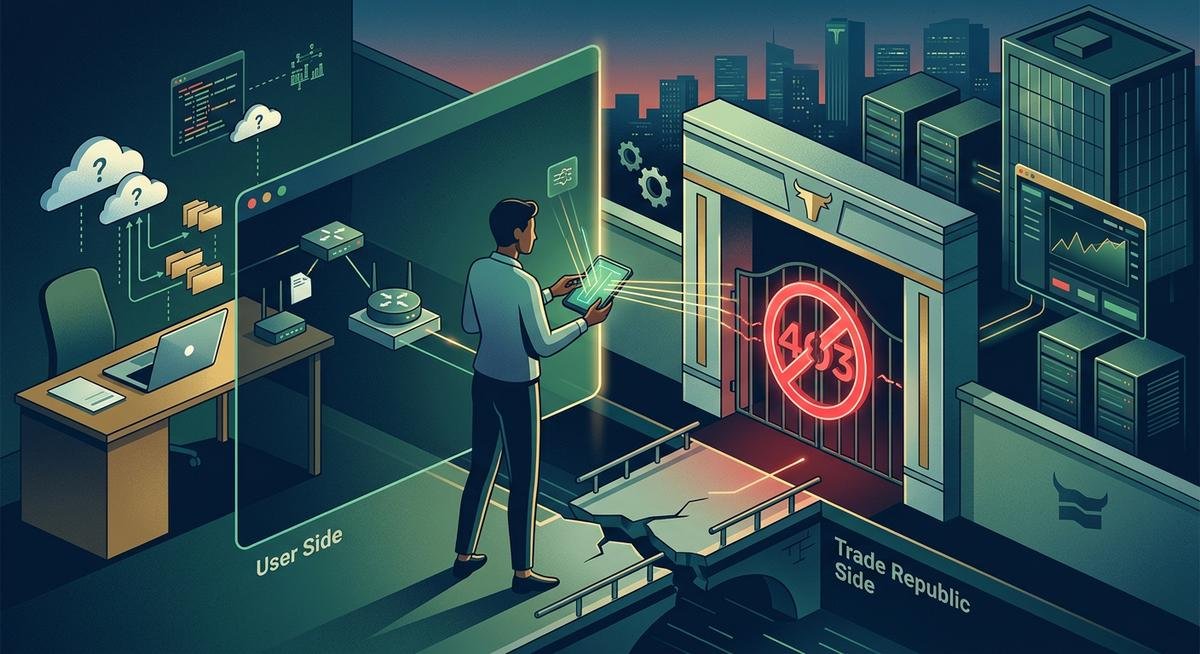
| Signal | Likely Cause | Fix Path |
|---|---|---|
| Error on one device only | User-side | Clear cache, disable VPN, re-login |
| VPN or proxy active | User-side | Disable VPN, retry immediately |
| All devices blocked simultaneously | Trade Republic-side | Check status page, wait or contact support |
| Post-KYC submission error | Trade Republic account restricted | Contact support — no client fix exists |
Step-by-Step Fixes for User-Side 403 Errors
Disable your VPN, clear your browser cache, force a fresh login, and switch networks — in that order. These fixes resolve the vast majority of user-side Trade Republic error 403 cases in under five minutes. The sequence is ranked by how often each cause actually triggers an HTTP 403 on brokerage platforms, so work through them top to bottom.
Fix 1 — Disable Your VPN or Proxy
Trade Republic operates under a German banking licence and an EU-wide brokerage authorisation, which means Trade Republic’s servers actively block traffic originating from IP addresses outside supported territories. A VPN routing your connection through a non-EU country — or even an unexpected server node within Europe — is enough to trigger a server-side permission error that looks identical to any other 403 response.
Turn off your VPN or proxy entirely, then reload the Trade Republic app or refresh the browser tab. Don’t just switch VPN servers — disable the VPN client completely, because some providers leak traffic even when you change locations.
Fix 2 — Clear Browser Cache and Cookies (or Reinstall the App)
Stale cookies from a previous Trade Republic session can present an expired or mismatched authentication token to the server, which returns a 403 rather than a standard login redirect. Clearing site-specific data — not your entire browser history — is the precise fix.
- Chrome: Settings → Privacy and Security → Delete browsing data → select Cookies and Cached images → filter by trade.republic in the address bar first for a targeted clear.
- Firefox: Settings → Privacy & Security → Cookies and Site Data → Manage Data → search trade.republic → Remove Selected.
- Safari: Preferences → Privacy → Manage Website Data → search trade.republic → Remove.
- iOS app: Settings → General → iPhone Storage → Trade Republic → Offload App, then reinstall from the App Store.
- Android app: Settings → Apps → Trade Republic → Storage → Clear Cache (and Clear Data if the error persists), or uninstall and reinstall.
Reinstalling the app is the nuclear option, but reinstalling guarantees a completely fresh session token — which is exactly what the server needs to grant access again.
Fix 3 — Force a Fresh Login / Refresh Your Session Token
Session tokens on API-driven brokerage platforms like Trade Republic have finite lifespans — an idle session left open overnight is a common and underappreciated 403 trigger. Simply closing the browser tab does not invalidate the old token; a full logout is required.
Tap or click your account icon, select Log Out, wait 30 seconds, then sign back in with your credentials. That 30-second pause allows Trade Republic’s servers to fully clear the previous session state before issuing a new token.
Fix 4 — Try a Different Browser, Device, or Network
If the three fixes above haven’t resolved the access denied error, the problem may be tied to your current IP address or a browser extension interfering with Trade Republic’s authentication headers. Switching from Wi-Fi to mobile data changes your IP entirely, which can bypass an IP-level block without requiring any VPN.
An incognito or private browsing window is also worth trying — incognito mode loads Trade Republic without any extensions active and without inheriting existing cookies. If Trade Republic loads cleanly in incognito, a browser extension (ad blocker, privacy tool, or security plugin) is almost certainly the culprit.
| Fix | Time Required | Most Likely Cause It Solves | Works On |
|---|---|---|---|
| Disable VPN / proxy | ~30 seconds | Geo-restriction / IP block | App & browser |
| Clear cache & cookies / reinstall | 2–5 minutes | Stale session cookie | Browser / mobile app |
| Full logout → re-login | ~1 minute | Expired session token | App & browser |
| Switch network / incognito window | ~2 minutes | IP-level block / extension conflict | Browser / mobile app |
In practice, Fix 1 and Fix 3 together resolve the majority of user-side Trade Republic 403 cases. If all four steps fail across multiple devices and networks, the block is almost certainly on Trade Republic’s end — not yours.
When Trade Republic’s Platform Is the Problem
Server-side 403 blocks cannot be fixed from your device — stop clearing caches and start checking Trade Republic’s infrastructure instead. When the Trade Republic error 403 originates on Trade Republic’s own servers, the server-side permission error is deliberate. According to Trade Republic’s publicly maintained incident history on status.traderepublic.com, platform-wide access disruptions have occurred during scheduled maintenance windows and during periods of unusually high trading volume.
Trade Republic maintains an official status page at status.traderepublic.com, which logs active incidents, degraded service windows, and scheduled maintenance in real time. Check the status page before anything else. During a confirmed outage, every login attempt generates another access denied brokerage app response — attempting fixes adds noise to an already stressed system without resolving anything.
Trade Republic’s Twitter/X account (@TradeRepublic) also posts incident updates during significant platform disruptions. Cross-referencing both sources takes under two minutes and immediately tells you whether you’re dealing with a platform-wide event or something specific to your account.
| Signal | What It Suggests | Action |
|---|---|---|
| Status page shows active incident | Platform-wide outage or maintenance | Wait — no client-side fix exists |
| Status page shows “Operational” | Account-level restriction likely | Contact Trade Republic support |
| Reddit r/TradeRepublic reports flooding in | Widespread server-side permission error | Monitor and wait for resolution |
| No reports anywhere, error is yours alone | KYC hold or account flag | Open a support ticket immediately |
Account restrictions, KYC holds, and verification blocks
A Trade Republic account restricted at the API level will return a 403 to every request — mobile app, browser, and any third-party portfolio tracker connected via token. This happens when identity verification is incomplete, when a submitted document was rejected during onboarding, or when Trade Republic’s compliance systems flag unusual activity on the account.
In these cases, the 403 is not a bug. The 403 is an intentional, account-level gate. No client-side fix — not a reinstall, not a network switch, not a fresh session token — will lift it. Only Trade Republic’s support team has the permissions to remove a compliance-triggered access block.
KYC-related 403 errors are particularly common during the initial onboarding window. Trade Republic operates under German financial regulatory oversight by BaFin (Bundesanstalt für Finanzdienstleistungsaufsicht), and identity verification is a legal requirement before full platform access is granted. If the error appeared immediately after uploading documents, assume a verification hold until support confirms otherwise.
What happens to your funds during a 403 error
A 403 error blocks access to the platform interface — the error does not touch your assets. Funds held in a Trade Republic account are protected under the German Deposit Protection Scheme (Einlagensicherungsfonds) up to €100,000, and securities are held as segregated assets under EU investor protection rules, meaning securities sit outside Trade Republic’s own balance sheet entirely.
The error is an access issue, not a data loss or funds loss event. Your portfolio continues to exist exactly as you left it. Positions remain open, cash balances are untouched, and any pending orders placed before the 403 appeared will process according to their original parameters once access is restored.
Frequently Asked Questions
Why am I getting a 403 error on Trade Republic?
A Trade Republic error 403 means Trade Republic’s servers received your request but refused to fulfil it. The most common triggers are an expired session token, an active VPN routing traffic through a non-EU country, a pending KYC verification hold, or a temporary server-side permission error on Trade Republic’s end.
Does a 403 error mean my Trade Republic account is blocked or suspended?
Not necessarily. A Trade Republic error 403 can be a routine session issue that clears after logging out and back in. However, if the error persists across multiple devices and networks simultaneously, Trade Republic may have placed an account-level restriction — typically linked to incomplete identity verification or a flagged activity review. Only Trade Republic support can confirm and lift that kind of block.
Is Trade Republic down right now?
Check Trade Republic’s official status page at status.traderepublic.com and Trade Republic’s Twitter/X account (@TradeRepublic) for live incident reports before attempting any fixes. If the status page shows an active incident, no client-side action will resolve the access denied brokerage app error — Trade Republic needs to restore service on its end first.
Will a 403 error affect my funds or investments?
No. A Trade Republic error 403 is purely an access issue, not a data or funds loss event. Assets held with Trade Republic remain protected under German deposit guarantee schemes regardless of any HTTP 403 status code affecting the interface.
How do I contact Trade Republic support for a 403 error?
Use the in-app chat via Settings → Help → Chat. Include your account email, device model, OS version, a screenshot of the error, and every fix you’ve already tried. Providing that detail upfront cuts resolution time significantly — Trade Republic support agents won’t need to walk you through steps you’ve already completed.
What does a Trade Republic error 503 mean, and is it the same as a 403?
A Trade Republic error 503 means the server is temporarily overloaded or undergoing maintenance and cannot handle your request at all. A 403 means the server is working fine but refuses your specific request. The fix for a 503 is always to wait — the server needs time to recover — while a 403 often has a user-side fix like disabling a VPN or clearing cached session data.
What does error HTTP 409 on Trade Republic mean?
An error HTTP 409 on Trade Republic signals a conflict — typically a duplicate request or a race condition where two actions attempted to modify the same resource simultaneously. Retry the action after a few seconds. If the 409 persists, force-close the Trade Republic app and reopen it. Unlike a 403, a 409 is almost never related to permissions or access restrictions.
Trade Republic not working — is it always a 403 issue?
Trade Republic not working can mean several different errors, and 403 is only one possibility. Blank screens, infinite loading spinners, and login loops are separate issues from a 403 Forbidden response. Check whether you see an explicit “403” or “Forbidden” message. If there is no error code visible, the problem may be a network connectivity issue, an outdated app version, or a server-side 500/503 error rather than an access denial.
Is a Tradeinn 403 Forbidden error the same as a Trade Republic 403?
No. Tradeinn is an online sports retail platform, completely unrelated to Trade Republic’s brokerage services. A Tradeinn 403 Forbidden typically results from bot-detection systems or regional access blocks on the retail site. The troubleshooting steps differ entirely — Tradeinn issues are resolved by disabling ad blockers, clearing cookies, or using a different browser, while Trade Republic 403 errors can involve financial account restrictions that only Trade Republic support can lift.
Tradelink and Trade Republic are separate platforms with no connection. Tradelink errors typically relate to trade documentation or logistics systems, not brokerage access. If you are specifically seeing an error on the Trade Republic platform, follow the triage and fix steps above. If the error appears on a Tradelink system, consult Tradelink’s own support documentation instead.
| Question | Short Answer |
|---|---|
| Can a VPN cause a Trade Republic 403? | Yes — Trade Republic enforces EU geo-restrictions; non-supported exit nodes trigger an immediate block |
| Does clearing cache always fix it? | Only if stale cookies or an expired session token are the cause; server-side restrictions require support intervention |
| Is a Trade Republic account restricted permanently after a 403? | Rarely — most 403 errors are temporary access issues, not permanent suspensions |
| Trade Republic error 503 vs 403? | 503 = server overloaded, wait it out; 403 = access denied, often fixable on your side |
Conclusion
A Trade Republic error 403 almost always falls into one of two categories: something on your end — a stale session token, active VPN, or cached browser data — or a server-side permission error imposed by Trade Republic itself, such as a KYC hold or platform maintenance. Running through the user-side fixes first takes under five minutes and resolves the majority of cases.
Your funds are not at risk. A Trade Republic account restricted by an HTTP 403 status code is an access issue, not a funds issue — assets remain protected under German deposit guarantee schemes regardless of whether you can log in.
If every self-fix fails, the block is almost certainly on Trade Republic’s side. Contact Trade Republic support directly via Settings → Help → Chat, include your device details and a screenshot, and reference any active incident on Trade Republic’s status page. That single step is what moves an access denied brokerage app situation from frustrating to resolved.